

Managing employee shifts can be challenging for businesses with hourly, shift-based, remote, field, or multi-location teams. Managers need to make sure the right employees are working at the right time while also considering availability, skills, workload, time-off requests, labor costs, and unexpected absences.
A shift schedule that looks complete on paper can still create problems if employees are frequently asked to change shifts, managers regularly deal with last-minute absences, or overtime continues to increase.
Effective employee shift management is therefore about more than assigning working hours. It involves planning coverage, communicating schedules, managing changes, monitoring employee hours, and continuously improving the scheduling process.
For growing organizations, these responsibilities can become difficult to manage through spreadsheets, paper schedules, or separate communication channels. A structured process and appropriate scheduling technology can help managers improve visibility and reduce the administrative burden associated with shift management.
This guide explains the most common employee shift management challenges and practical best practices businesses can use to create more efficient and reliable work schedules.
What Is Employee Shift Management?
Employee shift management is the process of planning, assigning, communicating, monitoring, and adjusting employee work shifts based on business and workforce requirements.
It covers the entire scheduling cycle, from determining how many employees are needed to managing last-minute changes after the schedule has been published.
For example, a retail business may need additional employees during evenings and weekends, while a service business may need workers assigned according to customer appointments. A healthcare organization may need specific employees with particular qualifications available for each shift.
Effective shift management ensures that staffing requirements and employee availability are aligned as closely as possible.
It also gives managers better control over workforce hours, shift coverage, overtime, and schedule changes.
Why Is Employee Shift Management Important?
Employee shifts directly affect daily business operations.
When too few employees are scheduled, workloads can increase, customer service may suffer, and employees may become overwhelmed. When too many employees are scheduled during low-demand periods, the business may spend more on labor than necessary.
Poor shift management can also create employee frustration.
Frequent last-minute changes, unfair distribution of weekend or evening shifts, unclear schedules, and unexpected overtime can make employees feel that their work schedules are unpredictable.
A well-managed shift process helps businesses balance operational requirements with employee needs.
The goal is to create schedules that provide adequate coverage without unnecessarily increasing labor costs or creating avoidable disruption for employees.
Common Employee Shift Management Challenges
1. Employee Availability Conflicts
One of the most common scheduling challenges is assigning employees to shifts that conflict with their availability.
Employees may have different personal responsibilities, transportation limitations, education schedules, or other commitments.
Availability can also change over time.
If managers rely on outdated information, they may create schedules that require frequent corrections.
Maintaining current availability information is therefore an important part of effective shift management.
2. Last-Minute Absences
Unexpected employee absences are unavoidable in most businesses.
An employee may become sick, have an emergency, or suddenly be unable to attend a scheduled shift.
The challenge is not simply finding another employee. Managers also need to consider whether the replacement is qualified, available, and within appropriate working-hour limits.
Without a clear replacement process, managers may spend significant time calling or messaging employees individually.
This is particularly difficult for businesses operating early mornings, evenings, weekends, or multiple shifts per day.
3. Frequent Shift Changes
Schedules rarely remain exactly the same after publication.
Employees may request changes, managers may need to adjust staffing levels, or business demand may change.
When every modification requires manually editing a spreadsheet and sending new versions to employees, the chance of communication errors increases.
Employees may continue using an old schedule without realizing that a change has been made.
A reliable shift management process should make it clear which version of the schedule is current.
4. Overtime Management
Overtime can become a major workforce expense when employee hours are not carefully monitored.
A manager may add an extra shift to cover an absence without realizing that the employee is already close to their overtime threshold.
This can happen easily when schedules are managed manually.
Managers should review expected hours while creating schedules and before approving additional shifts.
This provides an opportunity to redistribute available hours when appropriate and reduce avoidable overtime.
5. Uneven Distribution of Shifts
Shift allocation can also become a source of employee dissatisfaction.
If the same employees repeatedly receive weekend, evening, holiday, opening, or closing shifts, they may perceive the scheduling process as unfair.
Fair scheduling does not necessarily mean giving every employee exactly the same number of shifts.
Different roles, availability, experience, and business requirements may require different assignments.
However, managers should establish consistent scheduling principles and review shift distribution regularly.
6. Understaffing During Busy Periods
A schedule can be inefficient even when every shift has at least one employee assigned.
If staffing levels do not match business demand, employees may struggle during busy periods.
For example, a retail store may have enough employees for normal weekday traffic but become understaffed during weekends.
Similarly, a service company may have enough staff during normal periods but struggle when customer appointments increase.
Managers should therefore plan shifts around expected workload rather than simply filling available hours.
7. Overstaffing During Slow Periods
The opposite problem is overstaffing.
Scheduling too many employees during periods of low demand can increase labor costs without providing meaningful operational benefits.
The goal of employee shift management is not to schedule as many people as possible.
Instead, managers should determine the appropriate staffing level for each period based on workload, service requirements, employee skills, and business priorities.
8. Managing Multiple Locations
Employee shift management becomes significantly more complex when a business operates across multiple locations.
Managers may need to coordinate different:
- Operating hours
- Staffing requirements
- Employee availability
- Departments
- Shift patterns
- Supervisors
- Local workforce requirements
Using separate spreadsheets for every location can make it difficult to understand the overall workforce picture.
A centralized scheduling approach can provide managers with better visibility while allowing location-level managers to focus on their own teams.
9. Poor Communication
Even a well-designed schedule can fail if employees do not receive accurate information.
Communication problems can occur when schedules are distributed through a mixture of email, messaging applications, spreadsheets, and printed documents.
Employees may not know whether a schedule has been updated.
A centralized scheduling process gives managers and employees a consistent source of scheduling information.
This can reduce misunderstandings and improve accountability.
Employee Shift Management Best Practices
1. Start With Business Demand
Effective shift management begins with understanding when the business actually needs employees.
Review customer traffic, workload, operating hours, appointments, seasonal patterns, and historical staffing requirements.
For example, if demand consistently increases during certain hours, managers should plan additional coverage for those periods.
This approach is more effective than assigning an equal number of employees to every shift.
2. Maintain Accurate Employee Information
Managers need accurate information before they can create an effective schedule.
Maintain current information about employee:
- Availability
- Skills
- Roles
- Locations
- Time-off requests
- Scheduled hours
- Shift preferences
If any of this information changes, the scheduling system or process should be updated promptly.
Accurate employee information reduces the likelihood of avoidable scheduling conflicts.
3. Match Skills With Shift Requirements
Not every employee should be assigned to every shift.
Some shifts may require specific knowledge, experience, certification, or supervisory responsibility.
Before publishing a schedule, managers should verify that each important shift has the necessary skills represented.
This ensures that coverage is not only sufficient in quantity but also appropriate in quality.
4. Schedule Based on Workload
Managers should consider workload when determining staffing levels.
A shift with low expected demand may require fewer employees than a shift with significantly higher customer activity.
Historical scheduling information can help identify patterns.
Over time, businesses can compare scheduled staffing with actual workload and adjust future schedules accordingly.
5. Monitor Employee Hours
Managers should review scheduled hours for each employee before finalizing the schedule.
This can help identify potential overtime and uneven workloads.
Instead of waiting until payroll processing to discover excessive hours, managers can make adjustments during the planning stage.
This can help businesses control labor costs and create more balanced schedules.
6. Create a Fair Shift Allocation Process
Managers should establish consistent rules for distributing shifts.
This is particularly important for less desirable assignments such as nights, weekends, and holidays.
A transparent process can reduce perceptions of favoritism and make scheduling decisions easier to explain.
When exceptions are necessary, managers should document or communicate the reason when appropriate.
7. Publish Schedules in Advance
Employees need sufficient notice to plan their personal responsibilities around work.
Publishing schedules early can make it easier for employees to arrange transportation, childcare, appointments, and other commitments.
It also reduces last-minute questions and scheduling requests.
While the appropriate notice period depends on the business, the general principle is simple: more predictable scheduling is usually easier for both employees and managers.
8. Establish a Clear Shift-Swap Process
Employees sometimes need to change shifts.
Instead of allowing informal swaps without documentation, establish a consistent process.
Employees should know how to request a shift swap, which employees can provide coverage, who approves the change, and where the updated schedule will be recorded.
This provides flexibility while maintaining managerial control.
9. Create a Process for Absence Coverage
Managers should have a predefined process for handling unexpected absences.
When someone calls out, the manager should be able to quickly determine:
- What role needs coverage?
- What skills are required?
- Which employees are available?
- Who can take the shift without creating overtime?
- Who needs to approve the change?
- How will the updated schedule be communicated?
Having this process in place makes unexpected staffing problems easier to manage.
10. Keep One Official Schedule
There should be one authoritative version of the employee schedule.
If managers distribute several spreadsheet versions through different channels, employees may not know which schedule is current.
A centralized scheduling system can help ensure that schedule updates are reflected in one place.
This becomes especially valuable when multiple managers are involved in scheduling.
How Technology Improves Employee Shift Management
Manual scheduling can work for small teams with predictable schedules. However, the complexity increases as businesses add employees, shifts, locations, and scheduling requirements.
Employee scheduling software can centralize many of the tasks involved in shift management.
Managers can use scheduling technology to organize employee schedules, review availability, manage changes, and improve workforce visibility.
For employees, having access to a current schedule can make it easier to understand upcoming shifts and stay informed about changes.
Employee Shift Management Software vs. Manual Scheduling
Manual scheduling often requires managers to maintain spreadsheets, collect employee availability, check time-off requests, calculate hours, and communicate changes separately.
This can work when scheduling requirements are simple.
However, as the workforce grows, every additional employee and shift creates more variables.
Dedicated scheduling software is designed to manage these relationships in a centralized environment.
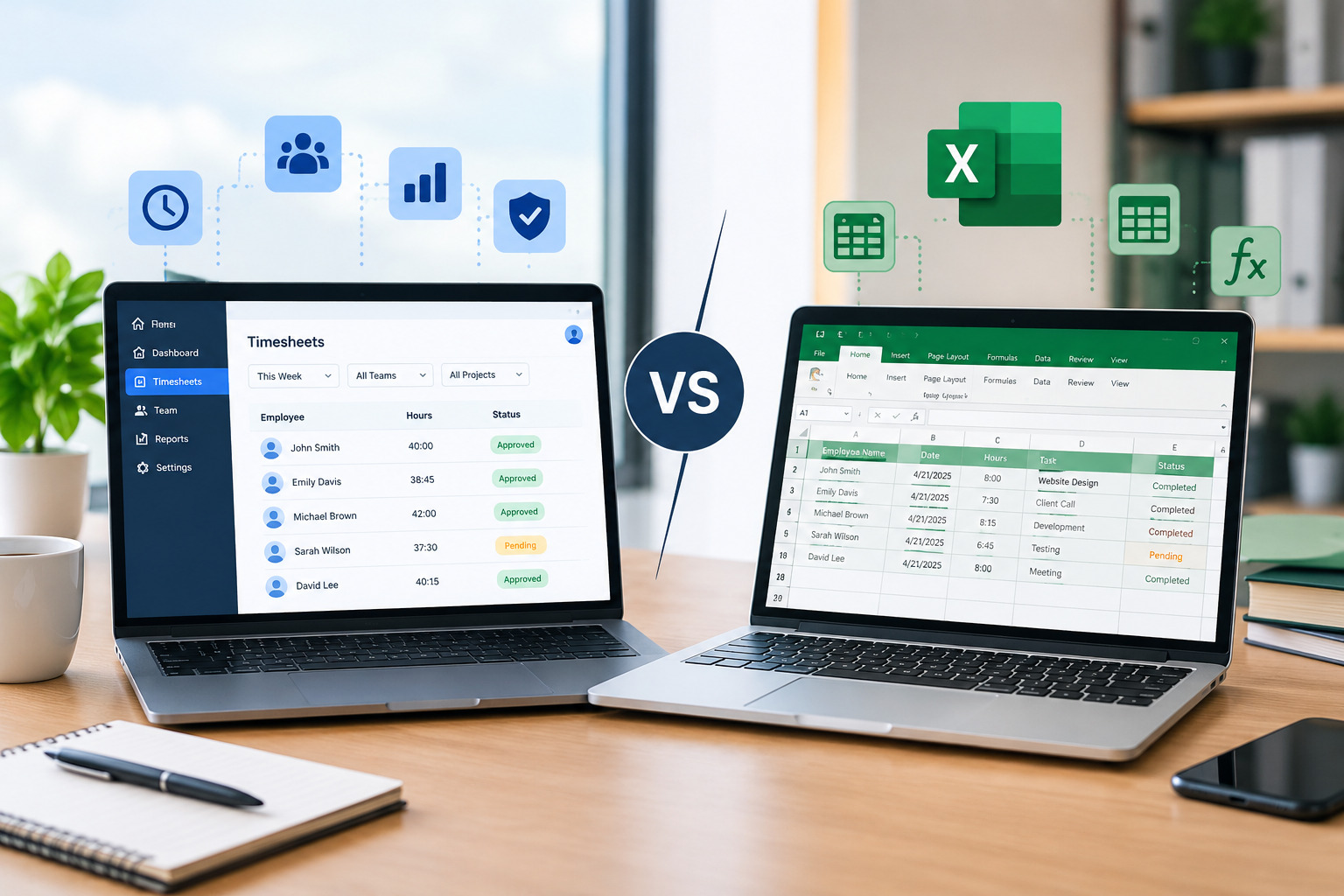
For example, your existing Excel Employee Schedule vs. Scheduling Software article can be linked here to capture readers who are evaluating whether spreadsheets are still appropriate for their business.
How Shift Management Connects With Time Tracking
Scheduling tells employees when they are expected to work. Time tracking records the hours they actually work.
These two processes provide different but complementary information.
For example, an employee may be scheduled from 9:00 a.m. to 5:00 p.m. but actually work until 5:45 p.m.
If these differences happen frequently, managers may need to determine why.
Are employees consistently handling workloads that cannot be completed within scheduled hours? Are shifts being planned incorrectly? Is additional staffing needed?
Connecting scheduling with accurate time tracking can provide better insight into these questions.
How to Improve Employee Satisfaction Through Shift Management
Employee scheduling affects more than operational efficiency.
Predictability, fairness, communication, and flexibility can influence how employees experience their workplace.
Managers can improve the employee scheduling experience by:
- Providing schedules with reasonable notice
- Considering availability
- Distributing difficult shifts fairly
- Making shift changes transparent
- Providing a clear shift-swap process
- Avoiding unnecessary last-minute changes
- Giving employees easy access to their schedules
These practices can make employees feel that their time is respected.
Explore How Scheduling Software Improves Employee Satisfaction
How to Manage Employee Shifts Across Multiple Locations
Multi-location scheduling requires greater coordination.
A manager may need to know not only who is available but also where each employee is scheduled to work.
Centralizing schedules can help businesses see staffing levels across locations and identify potential gaps.
Managers should also establish clear rules for employees who can work at multiple locations.
For example, if an employee can cover shifts at two locations, their availability should be visible to the managers responsible for scheduling those locations.
This reduces the risk of assigning the same employee to two locations at the same time.
How to Measure Employee Shift Management Performance
A shift management process should be measured rather than evaluated only by whether the schedule was published on time.
Businesses can monitor several useful indicators.
Overtime
Track how often scheduled shifts result in overtime.
Consistently high overtime may indicate that staffing levels or shift allocations need to be reviewed.
Unfilled Shifts
Monitor how frequently managers have difficulty finding coverage.
A high number of unfilled shifts may indicate inaccurate availability information or insufficient staffing.
Last-Minute Changes
Track schedule changes made after publication.
Frequent changes may indicate that the planning process is not accurately reflecting workforce or business requirements.
Absence Coverage
Measure how quickly managers can fill unexpected absences.
This can help identify whether the business has enough scheduling flexibility.
Employee Feedback
Employee feedback can reveal problems that scheduling data alone may not show.
Ask employees whether schedules are predictable, communication is clear, and shift allocation feels fair.
Manager Scheduling Time
Track how much time managers spend creating and correcting schedules.
If scheduling consumes several hours every week, improving the process could provide significant operational benefits.
Common Shift Management Mistakes to Avoid
Scheduling Without Considering Demand
Filling every shift without considering workload can create both understaffing and overstaffing.
Ignoring Employee Availability
Outdated availability information can lead to unnecessary schedule changes.
Relying on the Same Employees for Coverage
Repeatedly asking the same employees to cover gaps can increase overtime and fatigue.
Making Frequent Last-Minute Changes
Constant schedule changes can reduce predictability and employee satisfaction.
Using Multiple Schedule Versions
Different versions create confusion and increase the risk of missed shifts.
Failing to Monitor Scheduled Hours
Managers who do not review employee hours may discover overtime problems too late.
Ignoring Shift Fairness
Repeatedly assigning undesirable shifts to the same employees can create dissatisfaction.
A Practical Employee Shift Management Process
A simple shift management workflow can look like this:
Step 1: Identify Staffing Requirements
Determine how many employees and which skills are needed for each shift.
Step 2: Review Employee Availability
Check current availability and approved time-off requests.
Step 3: Assign Qualified Employees
Match employees to shifts based on skills, availability, and business requirements.
Step 4: Check Hours and Coverage
Review overtime risks, staffing levels, and potential gaps.
Step 5: Publish the Schedule
Make the schedule available to employees with enough notice.
Step 6: Manage Changes
Use a consistent process for shift swaps, absences, and schedule updates.
Step 7: Track Actual Hours
Compare scheduled hours with actual worked hours.
Step 8: Review Performance
Use scheduling data and employee feedback to improve the next scheduling cycle.
This process creates a repeatable system rather than forcing managers to rebuild their scheduling approach every week.
Employee Shift Management and Workforce Management
Employee shift management is an important part of broader workforce management.
Scheduling determines when employees are expected to work, while time tracking, attendance, productivity, and workforce analytics provide additional information about how the workforce is performing.
When these processes are connected, managers can make more informed decisions.
For example, if a department consistently schedules eight employees but only requires six during certain periods, workforce data may reveal an opportunity to adjust staffing.
Similarly, if employees regularly work beyond their scheduled hours, managers can investigate whether schedules need to be changed.
How Office1Solution Can Support Employee Shift Management
Effective shift management requires managers to balance schedules, employee availability, staffing requirements, and workforce information.
Office1Solution provides a workforce management platform with a scheduling system designed to help businesses organize staff allocation, improve workforce visibility, and manage employee schedules more efficiently. The platform also includes timesheet functionality, allowing businesses to connect scheduling and time-related workforce processes. (OfficeOne)
For organizations that are still managing shifts through spreadsheets or disconnected communication channels, moving toward a centralized workforce management approach can reduce administrative complexity and provide better visibility.
Frequently Asked Questions About Employee Shift Management
What is employee shift management?
Employee shift management is the process of planning, assigning, communicating, monitoring, and adjusting employee work shifts according to business requirements and employee availability.
What are the biggest employee shift management challenges?
Common challenges include employee availability conflicts, unexpected absences, overtime, understaffing, overstaffing, frequent schedule changes, poor communication, unfair shift distribution, and managing multiple locations.
How can businesses improve employee shift management?
Businesses can improve shift management by planning according to demand, maintaining accurate employee information, monitoring hours, creating fair scheduling processes, providing schedules in advance, and establishing clear procedures for shift changes and absences.
How does scheduling software help manage employee shifts?
Scheduling software can centralize employee schedules, improve workforce visibility, simplify schedule changes, organize availability, and make it easier for managers and employees to access current scheduling information.
How can employee shift management reduce overtime?
Managers can reduce unnecessary overtime by reviewing employee hours before publishing schedules, distributing shifts more effectively, monitoring additional assignments, and matching staffing levels with actual business demand.
How can businesses manage shifts across multiple locations?
A centralized scheduling system can help businesses manage employee availability, staffing requirements, and schedules across multiple locations while reducing the risk of conflicting assignments.
How does shift management affect employee satisfaction?
Predictable schedules, fair shift distribution, clear communication, and reasonable flexibility can improve the employee scheduling experience. Poorly managed shifts can create uncertainty and frustration.
What is the difference between shift management and employee scheduling?
Employee scheduling generally focuses on creating and assigning work schedules. Shift management is broader and includes planning, communication, shift changes, coverage, monitoring, and ongoing schedule adjustments.
Final Thoughts
Effective employee shift management requires more than filling open shifts.
Businesses need to understand staffing demand, maintain accurate employee information, assign the right people to the right shifts, monitor working hours, and create a reliable process for schedule changes.
The most common problems—such as availability conflicts, last-minute absences, overtime, poor communication, and uneven shift distribution—can often be reduced through better planning and consistent scheduling practices.
As workforce complexity increases, manual scheduling can become increasingly difficult to maintain. A centralized employee scheduling system can help managers improve visibility, simplify shift management, and create a more consistent scheduling process.
Recent Posts
- Time and Attendance Software: Complete Guide for Employers

- Time and Attendance: What’s the Difference Between the Two?

- How to Reduce Timesheet Errors and Improve Payroll Accuracy

- Timesheet App for Employees: Features, Benefits & Best Practices

- Timesheet Software vs. Excel: Which Is Better for Businesses?
Stay Ahead. Simplify Workforce Management.
Empower your teams to work efficiently with a unified workforce platform built for clarity, control, and actionable insights across your organization.