

Employee scheduling is an essential part of running a productive and efficient business. Whether you manage a small team or a large workforce across multiple locations, employees need to know when and where they are expected to work. At the same time, managers need to make sure every shift has adequate coverage without creating unnecessary overtime or putting too much pressure on individual employees.
Unfortunately, employee scheduling can become complicated very quickly. Last-minute absences, overlapping shifts, changing employee availability, overtime, poor communication, and manual schedule updates can create problems for both managers and employees.
Many organizations still rely on spreadsheets, paper schedules, shared calendars, or messaging applications to coordinate employee shifts. These methods may work for a small team, but they become increasingly difficult to manage as the workforce grows.
Employee scheduling software provides a more structured approach. It helps businesses centralize schedules, improve communication, manage employee availability, reduce scheduling errors, and give managers better visibility into workforce operations.
In this guide, we’ll explore the most common employee scheduling problems businesses face and explain how modern scheduling software can help solve them.
Why Employee Scheduling Can Become Difficult
Creating an employee schedule may sound simple: determine how many people are needed, assign employees to shifts, and communicate the schedule.
In reality, managers often need to consider many factors at the same time.
Employee availability, time-off requests, skills, shift requirements, labor budgets, overtime, business demand, and unexpected absences can all affect the final schedule.
As the number of employees and shifts increases, the number of possible scheduling combinations increases as well. A schedule that takes 15 minutes to create for a five-person team can take several hours when managing dozens or hundreds of employees.
This is why scheduling becomes a workforce management challenge rather than simply an administrative task.
1. Last-Minute Employee Absences
Unexpected employee absences are one of the most common scheduling problems.
Employees can become sick, experience emergencies, or suddenly become unavailable for their scheduled shift. When this happens, managers need to find a replacement quickly while making sure the business remains adequately staffed.
With a manual scheduling process, managers may need to call or message several employees to determine who is available. This can take considerable time, especially during evenings, weekends, or busy periods.
How Scheduling Software Helps
Scheduling software gives managers better visibility into employee availability and existing schedules. When a shift becomes available, managers can identify suitable employees more quickly and communicate schedule changes through the platform.
Some systems also allow employees to request shift swaps or indicate their availability, reducing the amount of manual communication required.
This allows managers to respond to unexpected absences without rebuilding the entire schedule.
2. Employee Scheduling Conflicts
Scheduling conflicts occur when an employee is assigned to overlapping shifts, scheduled when they are unavailable, or assigned to a location they cannot work at.
These mistakes are relatively easy to make when schedules are created manually.
A manager may update one part of a spreadsheet without realizing that the same employee has already been assigned elsewhere.
How Scheduling Software Helps
Digital scheduling systems can provide visibility into employee schedules and availability before shifts are published.
Managers can review employee assignments, identify conflicts, and make changes from a centralized platform.
This reduces the risk of double-booking employees and improves schedule accuracy.
3. Poor Communication About Schedule Changes
Creating a schedule is only half the job. Employees also need to receive and understand it.
When businesses rely on printed schedules, emails, spreadsheets, or messaging groups, employees may not always see the latest version.
A manager might change a shift in a spreadsheet while an employee is still looking at an older copy.
This can result in missed shifts, late arrivals, confusion, and unnecessary disputes.
How Scheduling Software Helps
Scheduling software creates a centralized source for employee schedules.
When managers publish or update a schedule, employees can access the latest information through the system. Depending on the platform, notifications can also alert employees when their schedule changes.
This creates a more consistent communication process and reduces confusion caused by outdated schedules.
4. Managing Employee Availability
Employees don’t always have the same availability every week.
They may have:
- Personal commitments
- School schedules
- Family responsibilities
- Planned appointments
- Other availability restrictions
Managers who track this information manually may need to maintain separate spreadsheets or notes.
As the workforce grows, keeping this information accurate becomes increasingly difficult.
How Scheduling Software Helps
Scheduling software can centralize employee availability information so managers can consider it when creating schedules.
Instead of searching through emails or messages, managers can use a single system to understand when employees are available.
This can make scheduling faster while reducing unnecessary conflicts.
5. Too Much Overtime
Overtime can become a significant labor expense when employee schedules are not carefully managed.
Managers may unintentionally assign additional hours to employees because they don’t have an immediate view of their existing workload.
This becomes particularly challenging when multiple managers create schedules for the same workforce.
How Scheduling Software Helps
A centralized scheduling system gives managers better visibility into employee work assignments.
Managers can identify employees who are approaching overtime and distribute available shifts more effectively.
Better visibility doesn’t eliminate the need for managers to make decisions, but it gives them the information needed to make those decisions earlier.
6. Uneven Shift Distribution
Another common scheduling problem is the unequal distribution of shifts.
For example, some employees may repeatedly receive preferred morning shifts while others are consistently assigned evenings, weekends, or less desirable schedules.
Even when this happens unintentionally, employees may perceive the scheduling process as unfair.
Over time, perceived unfairness can affect morale and employee engagement.
How Scheduling Software Helps
Digital scheduling systems make it easier to review employee assignments and identify scheduling patterns.
Managers can compare schedules and make adjustments to distribute shifts more fairly.
Transparent scheduling practices can help build employee trust while reducing complaints about shift allocation.
7. Difficulty Managing Shift Swaps
Employees sometimes need to exchange shifts because of personal commitments or unexpected changes.
Without a structured process, shift swaps can become a management headache.
An employee may find a replacement but forget to inform the manager. Another employee may agree to cover a shift without the schedule being officially updated.
This can create confusion about who is actually responsible for a shift.
How Scheduling Software Helps
Scheduling software can provide a formal process for handling shift changes.
Employees can submit requests while managers retain control over approvals. Once approved, the schedule can be updated so everyone has access to the correct information.
This provides flexibility for employees without sacrificing management oversight.
8. Managing Multiple Locations
Scheduling becomes significantly more complicated when a business operates across multiple locations.
Managers may need to coordinate employees between:
- Offices
- Stores
- Branches
- Warehouses
- Service locations
- Job sites
Using separate spreadsheets for each location can make workforce visibility difficult.
How Scheduling Software Helps
A centralized scheduling platform can bring workforce information together in one place.
Managers can view schedules by employee, location, department, or shift, depending on the capabilities of the software.
This makes it easier to coordinate teams and identify staffing gaps across different locations.
9. Managers Spend Too Much Time Creating Schedules
One of the strongest indicators that a business needs a better scheduling process is the amount of management time spent creating and maintaining schedules.
Managers may spend hours every week:
- Reviewing availability
- Assigning shifts
- Updating spreadsheets
- Communicating changes
- Resolving conflicts
- Handling shift swaps
This administrative workload takes managers away from more strategic responsibilities.
How Scheduling Software Helps
Scheduling software reduces repetitive administrative work by centralizing scheduling information and simplifying schedule creation.
Instead of maintaining multiple documents and communication channels, managers can manage scheduling from one platform.
The result is less administrative work and more time for managing people and business operations.
10. Scheduling Errors Affect Payroll
Scheduling and payroll are closely connected.
When employee schedules are inaccurate, the problem can continue into time tracking and payroll processing.
For example, incorrect shift information may contribute to discrepancies involving:
- Hours worked
- Overtime
- Attendance
- Time-off records
Managers and payroll teams may then need to spend additional time identifying and correcting these issues.
How Scheduling Software Helps
Connecting scheduling with attendance and timesheet processes can create a more consistent workforce data flow.
When scheduled work, actual attendance, and recorded work hours are easier to compare, managers can identify discrepancies earlier.
Explore : Timesheet Management Software
11. Last-Minute Schedule Changes Are Difficult to Track
Businesses frequently need to change schedules because of demand fluctuations, employee absences, or operational requirements.
With manual scheduling, these changes may be communicated through several channels.
One employee may receive a text message, another may receive an email, and another may only see the change on a spreadsheet.
This creates a risk that employees will work from different versions of the schedule.
How Scheduling Software Helps
A centralized scheduling platform provides one current version of the workforce schedule.
Managers can make changes in the system and employees can access the updated information.
This improves visibility and reduces dependence on scattered communication channels.
12. Managers Lack Real-Time Workforce Visibility
A schedule tells managers who is expected to work, but businesses often need more information than that.
Managers may want to understand:
- Who is scheduled today?
- Which employees are available?
- Which shifts still need coverage?
- Which employees are approaching overtime?
- Which locations need additional staffing?
When information is spread across spreadsheets and messages, answering these questions can take time.
How Scheduling Software Helps
Modern workforce platforms provide centralized workforce information that helps managers make faster operational decisions.
This visibility becomes particularly valuable when managing large teams, multiple locations, or changing business demands.
13. Scheduling Becomes Difficult as the Business Grows
A scheduling process that works for ten employees may not work for 100.
Business growth introduces additional complexity, including more employees, shifts, departments, locations, and availability requirements.
Continuing to use manual processes can cause administrative workload to grow alongside the workforce.
How Scheduling Software Helps
Scheduling software provides a scalable way to manage employee schedules as workforce requirements change.
Instead of creating a completely new scheduling process every time the company expands, businesses can continue using the same centralized system.
14. Managers Struggle With Demand-Based Staffing
Businesses rarely experience the same level of demand every day.
Some days may be extremely busy, while others require fewer employees.
Retail stores, restaurants, healthcare organizations, customer service teams, and field service businesses often need to adjust staffing based on expected demand.
Scheduling too few employees can create service problems, while scheduling too many can increase labor costs.
How Scheduling Software Helps
Workforce scheduling tools can help managers organize employees around expected operational requirements.
By combining scheduling information with historical workforce data and business demand patterns, managers can make more informed staffing decisions.
15. Employees Have Limited Visibility Into Their Schedules
Employees need easy access to their work schedules.
If they have to contact a manager every time they want to confirm their next shift, the scheduling process creates unnecessary administrative work.
Employees also benefit from knowing their schedules early enough to plan their personal lives.
How Scheduling Software Helps
Employee scheduling software can give employees direct access to their schedules.
Depending on the platform, employees may also be able to submit availability, request time off, or request shift changes.
This creates a more transparent and employee-friendly scheduling process.
Manual Scheduling vs. Scheduling Software
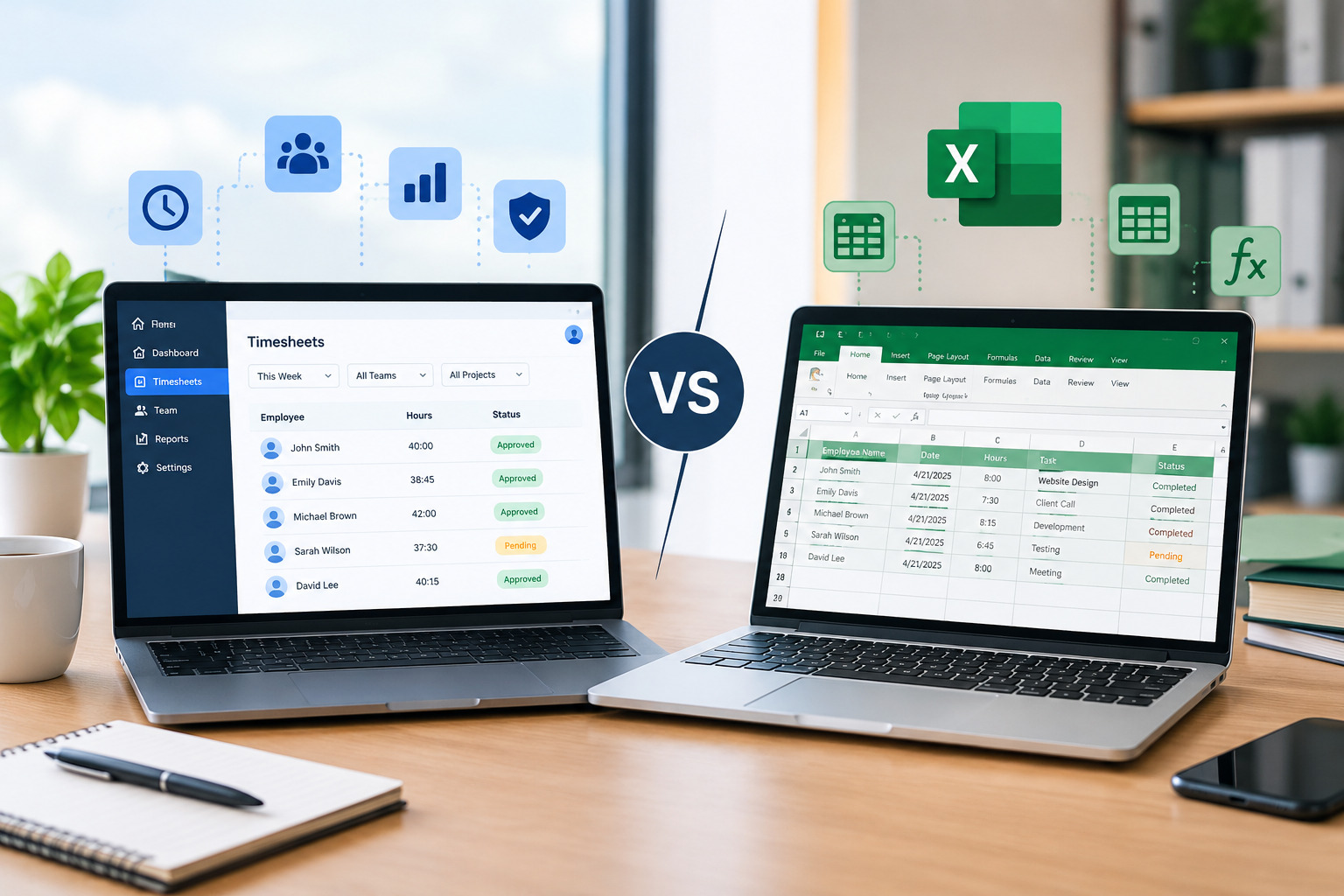
Manual scheduling can be suitable for businesses with very small teams and simple scheduling requirements.
However, as workforce complexity increases, the limitations become more obvious.
| Area | Manual Scheduling | Scheduling Software |
|---|---|---|
| Schedule creation | Time-consuming | Faster and centralized |
| Schedule changes | Often manual | Easier to update |
| Employee communication | Multiple channels | Centralized notifications |
| Availability | Difficult to maintain | Centralized |
| Shift swaps | Manual coordination | Structured requests |
| Workforce visibility | Limited | Better visibility |
| Multi-location scheduling | Difficult | Easier to coordinate |
| Reporting | Often limited | Digital reporting |
| Scalability | Limited | Designed to scale |
The right choice depends on workforce size and operational complexity. However, businesses experiencing recurring scheduling problems can benefit significantly from moving away from manual processes.
Also Read : manual scheduling vs. scheduling software
How to Know If Your Business Needs Scheduling Software
Not every business needs sophisticated scheduling technology immediately.
However, several warning signs indicate that your current process may no longer be sufficient.
Consider scheduling software if:
- Managers spend several hours every week creating schedules.
- Employees frequently miss or misunderstand schedule changes.
- Shift conflicts happen regularly.
- Overtime is difficult to control.
- Employees frequently request shift swaps.
- Your business operates across multiple locations.
- Scheduling complaints are increasing.
- Workforce information is spread across multiple spreadsheets.
- Payroll corrections related to hours are becoming common.
- Your company is growing quickly.
If several of these problems sound familiar, your scheduling process may be creating unnecessary operational costs.
Explore signs your business needs employee scheduling software
Benefits of Solving Scheduling Problems
Improving employee scheduling isn’t only about making a manager’s job easier.
A better scheduling process can have a wider impact on the organization.
Better Operational Efficiency
Managers spend less time handling repetitive scheduling administration and more time focusing on workforce performance and business priorities.
Improved Employee Communication
Employees have clearer access to schedules and schedule changes, reducing confusion and missed shifts.
Better Labor Cost Control
Greater visibility into employee schedules and working hours can help managers identify overtime and staffing issues earlier.
Higher Employee Satisfaction
Fairer and more transparent scheduling can contribute to a better employee experience.
Stronger Workforce Visibility
Centralized scheduling information helps managers understand workforce availability and staffing requirements.
How Office1Solution Can Help
Office1Solution is designed to help modern businesses simplify workforce operations through centralized scheduling and workforce management tools.
Instead of managing employee schedules across spreadsheets, emails, and separate communication channels, businesses can use a centralized platform to improve workforce coordination.
Office1Solution supports workforce operations including employee scheduling, timesheets, attendance, and workforce visibility.
For businesses dealing with recurring scheduling problems, moving toward a centralized workforce management approach can reduce administrative complexity and give managers better control over daily operations.
Best Practices for Preventing Scheduling Problems
Technology can solve many scheduling challenges, but software should be supported by good scheduling practices.
Managers should establish clear scheduling policies and communicate them consistently.
Employees should know how far in advance schedules are published, how time-off requests work, and what process to follow when they need a shift change.
Managers should also regularly review scheduling data to identify recurring problems rather than simply fixing individual issues.
For example, if the same department repeatedly experiences overtime, the solution may not be to simply move employees between shifts. The business may need to reconsider staffing levels, workload distribution, or operating hours.
The combination of good scheduling policies, accurate workforce information, and appropriate technology creates a much stronger workforce management process.
Frequently Asked Questions
What are the most common employee scheduling problems?
Common problems include scheduling conflicts, last-minute absences, poor communication, overtime, shift swaps, uneven shift distribution, and difficulty managing multiple locations.
How does scheduling software solve employee scheduling problems?
Scheduling software centralizes employee schedules, availability, shift changes, and workforce information. This helps managers reduce errors, communicate changes, and coordinate staffing more efficiently.
Can scheduling software reduce overtime?
Scheduling software can help managers identify employee hours and schedule coverage more effectively, which can make it easier to control unnecessary overtime.
Is scheduling software useful for small businesses?
Yes. Small businesses can benefit when manual scheduling starts consuming significant management time or causing frequent communication and scheduling problems.
Can scheduling software manage multiple locations?
Many workforce scheduling platforms support multi-location scheduling, allowing managers to coordinate employees and shifts across different locations from a centralized system.
Does scheduling software help employees?
Yes. Employees can benefit from easier schedule access, clearer communication, and more structured processes for availability, time-off requests, and shift changes.
Final Thoughts
Employee scheduling problems rarely remain isolated. A scheduling conflict can lead to an uncovered shift, which can create overtime, affect employee workload, disrupt customer service, and eventually contribute to payroll or productivity problems.
For businesses still relying heavily on spreadsheets and manual processes, these problems can become increasingly difficult to manage as the workforce grows.
Employee scheduling software provides a centralized approach to managing schedules, employee availability, shift changes, and workforce information. By reducing repetitive administrative work and improving visibility, businesses can create a more efficient scheduling process while giving employees a clearer and more reliable experience.
The goal isn’t simply to automate scheduling. It is to create a workforce operation where managers can make better decisions, employees know what is expected of them, and the business has the flexibility to respond when circumstances change.
For organizations experiencing recurring scheduling problems, modern scheduling software can be an important step toward more efficient and scalable workforce management.
Recent Posts
- Time and Attendance Software: Complete Guide for Employers

- Time and Attendance: What’s the Difference Between the Two?

- How to Reduce Timesheet Errors and Improve Payroll Accuracy

- Timesheet App for Employees: Features, Benefits & Best Practices

- Timesheet Software vs. Excel: Which Is Better for Businesses?
Stay Ahead. Simplify Workforce Management.
Empower your teams to work efficiently with a unified workforce platform built for clarity, control, and actionable insights across your organization.