
Managing hourly employees requires more than simply assigning people to available shifts. Businesses need to make sure the right number of employees are working at the right times while considering employee availability, business demand, labor costs, overtime, time-off requests, skills, and operational requirements.
For businesses with hourly or shift-based employees, scheduling directly affects productivity, payroll accuracy, customer service, and employee satisfaction. A poorly planned schedule can result in understaffing during busy periods, unnecessary labor costs during slow periods, excessive overtime, scheduling conflicts, and frustrated employees.
Effective employee scheduling gives managers a structured way to match workforce availability with business requirements. Instead of creating schedules based on guesswork or repeating the same weekly pattern, businesses can use demand, historical data, employee availability, and actual working hours to build more efficient schedules.
As hourly workforces grow, managing schedules manually can become increasingly difficult. Spreadsheets, paper schedules, emails, and messaging applications may work for a small team, but they can create problems when managers need to coordinate dozens or hundreds of employees.
Modern employee scheduling software can help businesses centralize schedules, track employee hours, manage shift changes, identify coverage gaps, and connect scheduled work with actual time worked. Office1Solution’s Scheduling Timesheet solution is specifically designed for shift-based and hourly workforces, combining scheduling with time tracking and timesheets.
What Is Employee Scheduling for Hourly Workers?
Employee scheduling for hourly workers is the process of determining when employees will work, how many hours they will be assigned, and which shifts they will cover during a specific scheduling period.
Unlike salaried employees who may work according to relatively consistent working patterns, hourly employees are often scheduled based on business demand and operational requirements.
A retail store may need more employees during evenings and weekends. A restaurant may require additional staff during lunch and dinner. A healthcare organization may need continuous shift coverage. A warehouse may increase staffing during high-volume periods. A service business may schedule workers according to customer appointments and field requirements.
Because hourly employees are generally paid according to the hours they work, scheduling also has a direct relationship with labor costs.
The objective is not simply to give every employee a certain number of hours. Instead, managers need to create schedules that provide sufficient coverage while using employee hours efficiently.
Why Is Hourly Employee Scheduling Important?
Hourly employee scheduling has a direct impact on day-to-day business operations.
If too few employees are scheduled during busy periods, existing employees may become overloaded and customer service can suffer. Employees may also need to work longer than planned, increasing overtime and labor costs.
On the other hand, scheduling too many employees during quiet periods can increase payroll expenses without providing additional value.
This makes workforce scheduling a balancing process.
Managers need to understand when work is required, how many employees are needed, which employees are qualified, and how many hours each employee can reasonably work.
Office1Solution’s workforce-management guidance identifies scheduling as a core workforce-management function because businesses need the right employees available when demand requires them. Poor scheduling can contribute to understaffing, overtime expenses, employee burnout, and reduced customer satisfaction.
What Makes Scheduling Hourly Employees Different?
Hourly workforce scheduling can be more complex than scheduling traditional full-time office employees because working hours may change from one week to another.
Employees may have different availability, preferred shifts, contracted hours, skills, and time-off requirements.
Some employees may be available only during evenings or weekends. Others may have restrictions on the number of hours they can work.
Managers must bring all of this information together while still meeting business requirements.
Another challenge is that hourly schedules can change frequently. Employees may request shift swaps, call out unexpectedly, or become available to cover open shifts.
This means the schedule needs to be flexible enough to respond to changes while remaining controlled enough to prevent conflicts and unnecessary labor costs.
Start Scheduling With Business Demand
One of the most important principles of hourly employee scheduling is to understand business demand before assigning employees to shifts.
Managers should first determine when the organization needs the most workforce coverage.
This may depend on customer traffic, sales activity, appointments, production volume, operating hours, seasonal trends, or historical workload.
For example, a restaurant may need only a few employees during mid-afternoon but require significantly more workers during dinner.
If managers schedule the same number of employees throughout the day, the business may either be understaffed during peak hours or overstaffed during slow periods.
Demand-based scheduling solves this problem by aligning employee coverage with expected workload.
Office1Solution’s existing guide on scheduling employees based on business demand recommends starting with expected demand and then matching employee availability and qualifications to those requirements.
This approach can help businesses improve workforce utilization while maintaining appropriate staffing levels.
Understand Employee Availability
After understanding business demand, managers need accurate information about employee availability.
Availability tells managers when employees can work and when they cannot.
This information is especially important for hourly workers because their schedules may vary significantly.
An employee may be available every weekday morning but unavailable on weekends. Another employee may only be available for evening shifts.
Using outdated availability information can result in scheduling conflicts and last-minute changes.
Managers should therefore maintain a clear process for employees to submit and update their availability.
When availability information is centralized, managers can consider it while creating schedules rather than contacting employees individually every time they need to fill a shift.
Office1Solution’s website identifies employee availability management as an important part of effective scheduling and features related content within its workforce-management resources.
Determine How Many Employees Are Needed Per Shift
Once demand and availability are understood, managers can determine the number of employees required for each shift.
The number should be based on workload rather than simply repeating the previous schedule.
For example, a retail business might require five employees during the morning, eight during the afternoon, and ten during the evening.
The exact staffing requirement will depend on the industry, location, business model, customer volume, and job responsibilities.
Managers should also consider whether certain shifts require employees with specific skills or qualifications.
Having enough people is not always enough. The team must also have the right mix of skills.
Match Employees to the Right Shifts
Effective scheduling is not just about filling open shifts.
Managers need to assign employees based on their skills, availability, experience, and role requirements.
For example, a healthcare shift may require employees with specific qualifications. A restaurant may need experienced kitchen staff during peak hours. A service company may need technicians with particular skills for certain assignments.
Matching employees to appropriate shifts improves workforce utilization and reduces the risk of operational problems.
It can also reduce the need for managers to make last-minute changes when they discover that a scheduled employee cannot perform a particular task.
Balance Employee Hours Fairly
Hourly employees often care about the number and consistency of hours they receive.
If some employees regularly receive more hours while others receive fewer opportunities, scheduling may begin to feel unfair.
Managers should review how hours are distributed across the workforce.
Fair scheduling does not necessarily mean giving everyone exactly the same number of hours.
Different employees may have different availability, roles, skills, and contractual arrangements.
However, managers should use consistent scheduling criteria and avoid repeatedly assigning desirable shifts or additional hours to the same employees without a clear reason.
Office1Solution’s guide to fair employee scheduling emphasizes considering availability, qualifications, workload, time-off requests, contracted hours, and shift requirements when building fair schedules.
Create Schedules in Advance
Hourly employees benefit from having their schedules available with enough notice to plan their personal lives.
Last-minute schedules can create stress and make it difficult for employees to arrange transportation, childcare, appointments, or other responsibilities.
Publishing schedules in advance also gives managers more time to identify potential coverage problems.
If an employee is unavailable for a scheduled shift, the issue can be addressed before the shift begins rather than becoming an emergency.
Predictable scheduling therefore benefits both employees and businesses.
Use Recurring Shift Patterns When Appropriate
Many hourly businesses have recurring workforce requirements.
For example, a company may have employees who regularly work morning, afternoon, evening, or weekend shifts.
Instead of manually rebuilding the same schedule every week, managers can use recurring shift templates.
Recurring schedules save administrative time and reduce the possibility of repeatedly entering the same information.
However, recurring schedules should not be used without review.
Business demand, employee availability, holidays, time off, and staffing requirements can change.
A recurring template should therefore serve as a starting point rather than a schedule that is copied indefinitely.
Office1Solution’s Scheduling Timesheet platform supports recurring shift templates along with weekly and multi-week schedule views.
Use Staggered Shifts to Match Changing Demand
Hourly businesses often experience changes in demand throughout the day.
Staggered shifts can help managers increase staffing during busy periods without scheduling every employee for the entire operating day.
For example, one employee may work from 8 a.m. to 4 p.m., another from 10 a.m. to 6 p.m., and another from noon to 8 p.m.
The overlapping hours create greater coverage during the middle of the day.
This approach can be useful for retail, hospitality, customer service, healthcare, warehouses, and other businesses where demand changes throughout the day.
The purpose of staggered scheduling is to align employee hours with workload rather than forcing every employee into identical working patterns.
Manage Overtime Through Better Scheduling
Overtime is one of the major concerns associated with hourly workforces.
When managers consistently schedule too few employees, existing employees may need to work additional hours.
Overtime can also occur when employees regularly stay late, take additional shifts, or cover unexpected absences.
Managers should monitor employee hours before assigning additional work.
For example, if an employee has already worked a significant number of hours during the week, assigning another long shift may result in overtime depending on applicable rules and company policies.
Better scheduling can help prevent avoidable overtime by distributing workload more effectively and identifying potential overtime before additional shifts are assigned.
This is an excellent place to internally link to Office1Solution’s existing content about how scheduling software reduces overtime costs.
Monitor Planned Hours Versus Actual Hours
One of the most valuable scheduling insights comes from comparing what was planned with what actually happened.
Suppose an employee is scheduled for eight hours but regularly works nine hours.
The schedule may appear efficient, but the actual data suggests otherwise.
Managers should investigate why the difference occurs.
Perhaps the workload is higher than expected. Maybe the shift is too short. The employee may regularly arrive early to prepare for work or stay late to complete closing tasks.
These patterns can help managers improve future schedules.
Office1Solution’s Scheduling Timesheet platform connects scheduling with time tracking and provides planned-versus-actual hour visibility, helping managers understand how scheduled hours compare with actual employee time.
Handle Employee Time-Off Requests Properly
Time-off requests can significantly affect hourly employee schedules.
Managers should have a consistent process for employees to request vacation, personal time, or other approved leave.
When requests are handled through a centralized system, managers can see approved absences while creating schedules.
This reduces the possibility of scheduling employees who are unavailable.
It also gives managers earlier visibility into potential staffing gaps.
Time-off management should therefore be integrated into the overall scheduling process rather than treated as a completely separate administrative task.
Create a Clear Shift-Swap Process
Shift swaps can give hourly employees flexibility when their schedules change.
However, informal shift swapping can create scheduling problems.
For example, an employee may agree to exchange shifts with a coworker without informing the manager. The replacement employee may then have a scheduling conflict or exceed their permitted working hours.
A structured shift-swap process allows employees to request changes while giving managers visibility and control.
Before approving a swap, managers should consider employee availability, skills, existing schedules, total working hours, and overtime implications.
Office1Solution’s Scheduling Timesheet platform includes shift-swap requests and open-shift self-service pickup, supporting more structured handling of schedule changes.
Plan for Unexpected Employee Absences
Even the best schedule cannot prevent every employee absence.
When an hourly employee calls out unexpectedly, managers need to identify qualified replacement workers quickly.
A good backup process should consider employee availability, skills, existing hours, and overtime.
Simply asking the nearest available employee to stay longer may solve the immediate problem but create another issue.
Managers should have visibility into who is already working, who is available, and which employees can safely cover the shift.
Coverage-gap alerts and centralized scheduling can make this process easier.
Office1Solution’s scheduling platform includes coverage-gap detection and real-time schedule updates to help managers identify and respond to staffing issues.
Prevent Double Booking and Scheduling Conflicts
Hourly employees may sometimes be assigned overlapping shifts or responsibilities.
This can happen when schedules are created manually across multiple spreadsheets or systems.
For example, an employee could accidentally be scheduled for two shifts at different locations during the same period.
These errors can create operational problems and require managers to make last-minute changes.
Automated scheduling checks can help identify conflicts before schedules are published.
Office1Solution’s Scheduling Timesheet platform includes automatic detection of coverage gaps and double bookings.
This type of visibility is particularly useful for businesses managing multiple shifts or locations.
Consider Labor Budgets When Creating Schedules
Employee scheduling is closely connected to labor costs.
Managers need to ensure that schedules provide sufficient coverage without unnecessarily exceeding the labor budget.
Hourly employees make this particularly important because every additional scheduled hour can affect payroll expenses.
Labor-budget visibility should therefore be considered while building the schedule rather than only after payroll is processed.
Managers can compare expected staffing requirements with planned hours and adjust schedules before they are finalized.
Office1Solution’s scheduling platform states that labor budgets update in real time while managers build the week’s schedule, providing greater visibility into staffing costs during the planning process.
Use Employee Preferences Without Compromising Coverage
Employee preferences can improve scheduling satisfaction.
Some employees may prefer morning shifts, while others may prefer evenings or weekends.
Managers can consider these preferences when operational requirements allow.
However, employee preferences should be balanced with business demand and fairness.
If every employee receives only their preferred shifts, the business may struggle to cover unpopular periods.
A better approach is to create transparent scheduling rules that consider preferences while ensuring essential coverage.
This can help employees understand that scheduling decisions are based on consistent criteria rather than favoritism.
Make Hourly Scheduling Fair
Fair scheduling is important for employee trust.
Managers should avoid repeatedly assigning undesirable shifts, weekends, holidays, or overtime opportunities to the same employees without a legitimate reason.
At the same time, fairness does not mean every employee must receive exactly the same schedule.
Employees may have different availability and responsibilities.
A fair scheduling system considers legitimate differences while applying consistent rules.
Managers should also communicate scheduling policies clearly so employees understand how schedules are created.
Use Data to Improve Future Schedules
An effective employee scheduling process should become more accurate over time.
Managers should review historical scheduling data and identify recurring patterns.
If a particular shift regularly experiences understaffing, the schedule may need to be adjusted.
If employees consistently work beyond their scheduled hours, managers should investigate the cause.
If certain periods regularly have excess staffing, the schedule may be using more labor than necessary.
This creates a continuous improvement cycle.
Managers forecast demand, create schedules, monitor actual results, compare planned and actual hours, and then use the findings to improve the next schedule.
Office1Solution’s demand-based scheduling guidance follows this same principle of using actual workforce activity to refine future schedules.
Employee Scheduling Software for Hourly Workers
As the number of hourly employees increases, manual scheduling becomes more difficult.
Managers may need to coordinate employee availability, shifts, time off, overtime, staffing levels, skills, schedule changes, and actual working hours.
Managing these processes across separate spreadsheets can increase administrative work and create data inconsistencies.
Employee scheduling software provides a centralized environment for managing this information.
Office1Solution’s Scheduling Timesheet solution is specifically positioned for shift-based workforces and combines schedules, shifts, time tracking, timesheets, employees, and workforce coordination.
The platform includes features such as recurring shift templates, weekly and multi-week scheduling views, coverage-gap detection, double-booking alerts, shift swaps, open-shift pickup, real-time schedule updates, and planned-versus-actual hour tracking.
For hourly businesses, connecting schedules with actual time records can be especially valuable because it reduces the gap between what managers planned and what employees actually worked.
How Scheduling and Time Tracking Work Together
Scheduling determines when an employee is expected to work.
Time tracking records when the employee actually works.
When these systems operate separately, managers may need to compare information manually.
This can create unnecessary administrative work and increase the risk of errors.
When scheduling and time tracking are connected, managers can compare planned shifts with actual clock-in and clock-out information more easily.
Office1Solution’s platform automatically feeds schedules into timesheets in its Scheduling Timesheet mode, helping reduce duplicate data entry and mismatches between schedules and timesheets.
This connection can also help managers identify attendance exceptions, unexpected working hours, and differences between planned and actual schedules.
How GPS and Mobile Time Tracking Can Help
Some hourly workforces operate outside a traditional office.
Field service employees, healthcare workers, mobile teams, and employees working across different locations may need to clock in and out from different places.
Mobile time tracking can provide a convenient way for employees to record their working hours.
Office1Solution’s Scheduling Timesheet platform supports mobile and web clock-in, with GPS verification for clock-in and clock-out and offline synchronization when connectivity is restored.
For organizations where employee location matters for attendance or operational records, this can provide additional visibility into actual workforce activity.
Common Hourly Employee Scheduling Mistakes
One of the most common scheduling mistakes is creating schedules without considering business demand.
A schedule may look balanced on paper but still leave the business understaffed during peak periods.
Another common mistake is relying on outdated employee availability.
Managers may also unintentionally create overtime by repeatedly assigning extra shifts to the same employees.
Ignoring actual working hours is another problem. If employees regularly work beyond their scheduled shifts, managers need to understand why rather than simply accepting the additional hours.
Last-minute schedule changes can also create frustration and operational problems.
Finally, using disconnected scheduling systems can make it difficult to maintain a single accurate view of the workforce.
Best Practices for Scheduling Hourly Employees
An effective hourly employee scheduling process should start with business demand rather than employee availability alone.
Managers should understand when staffing is required, determine the number of employees needed, and then match qualified employees to those periods based on availability.
Schedules should be published in advance whenever possible and updated through a consistent process.
Managers should monitor overtime, compare planned and actual hours, distribute shifts fairly, and maintain a clear process for shift swaps and unexpected absences.
Technology can support these practices by providing centralized visibility into schedules, employees, availability, attendance, and time records.
The goal is to make scheduling predictable for employees while keeping it flexible enough to respond to changing business needs.
Benefits of Effective Hourly Employee Scheduling
Effective scheduling can improve several areas of workforce management at the same time.
When staffing matches business demand, organizations can reduce unnecessary labor costs while maintaining appropriate coverage.
Employees can benefit from more predictable schedules and fairer distribution of hours.
Managers spend less time resolving scheduling conflicts and searching for last-minute coverage.
Accurate scheduling can also support payroll and compliance processes by providing better records of planned and actual working hours.
Perhaps most importantly, effective scheduling gives managers greater visibility into how workforce capacity is being used.
How Office1Solution Supports Hourly Workforce Scheduling
Office1Solution is a cloud-based workforce management platform designed for growing and enterprise organizations. Its core platform includes workforce-related capabilities covering people, time, assets, compliance, scheduling, and operational coordination.
For hourly and shift-based employees, the Scheduling Timesheet mode is particularly relevant. Office1Solution’s documentation identifies Scheduling Timesheet mode as the option designed for shift-based employees who clock in and out for assigned shifts, with timesheets automatically generated from attendance records.
The platform combines advanced shift scheduling with time tracking, timesheets, employee management, and operational tools.
Managers can create recurring schedules, view weekly and multi-week shifts, identify coverage gaps, detect double bookings, manage shift swaps, allow open-shift pickup, and monitor planned versus actual hours.
This connected approach can help hourly businesses move away from fragmented scheduling processes and toward centralized workforce coordination.
A Simple Process for Creating an Hourly Employee Schedule
Creating an effective hourly schedule can be approached as a repeatable process.
Begin by identifying expected business demand for the scheduling period. Determine when the business needs the most employees and which roles require coverage.
Next, review employee availability, skills, time-off requests, existing working hours, and any scheduling restrictions.
Then assign employees to shifts based on business requirements and employee qualifications.
Before publishing the schedule, check for coverage gaps, overlapping shifts, excessive hours, and potential overtime.
Once the schedule is published, communicate changes through a centralized process and monitor actual attendance.
At the end of the scheduling period, compare planned hours with actual hours and review any significant differences.
This creates a continuous scheduling cycle:
Forecast → Plan → Assign → Publish → Monitor → Improve
The process helps transform employee scheduling from a repetitive administrative activity into a data-driven workforce-management process.
Final Thoughts
Employee scheduling for hourly workers is an important part of effective workforce management.
A well-designed schedule helps businesses maintain appropriate staffing, control labor costs, reduce unnecessary overtime, distribute working hours fairly, and provide employees with greater predictability.
The most effective schedules are not created by simply filling available shifts.
They are built by understanding business demand, employee availability, skills, workload, labor budgets, time-off requests, and actual workforce activity.
Managers should also recognize that scheduling does not end when the schedule is published. Unexpected absences, shift swaps, changing demand, and differences between planned and actual hours require ongoing monitoring.
For small teams, spreadsheets and manual processes may initially be sufficient. As the workforce grows, however, centralized employee scheduling software can provide greater visibility and reduce administrative complexity.
Office1Solution’s Scheduling Timesheet solution is designed specifically to connect shift scheduling with time tracking and timesheets for shift-based workforces. Its scheduling features support recurring shifts, coverage monitoring, conflict detection, shift changes, real-time updates, and planned-versus-actual hour tracking.
Ultimately, successful hourly employee scheduling is about putting the right people in the right shifts at the right time while balancing business needs with employee needs.
When businesses combine demand-based planning, accurate availability information, fair scheduling practices, and connected workforce technology, they can create schedules that are more efficient, predictable, and easier to manage.
Recent Posts
- Time and Attendance Software: Complete Guide for Employers

- Time and Attendance: What’s the Difference Between the Two?

- How to Reduce Timesheet Errors and Improve Payroll Accuracy

- Timesheet App for Employees: Features, Benefits & Best Practices

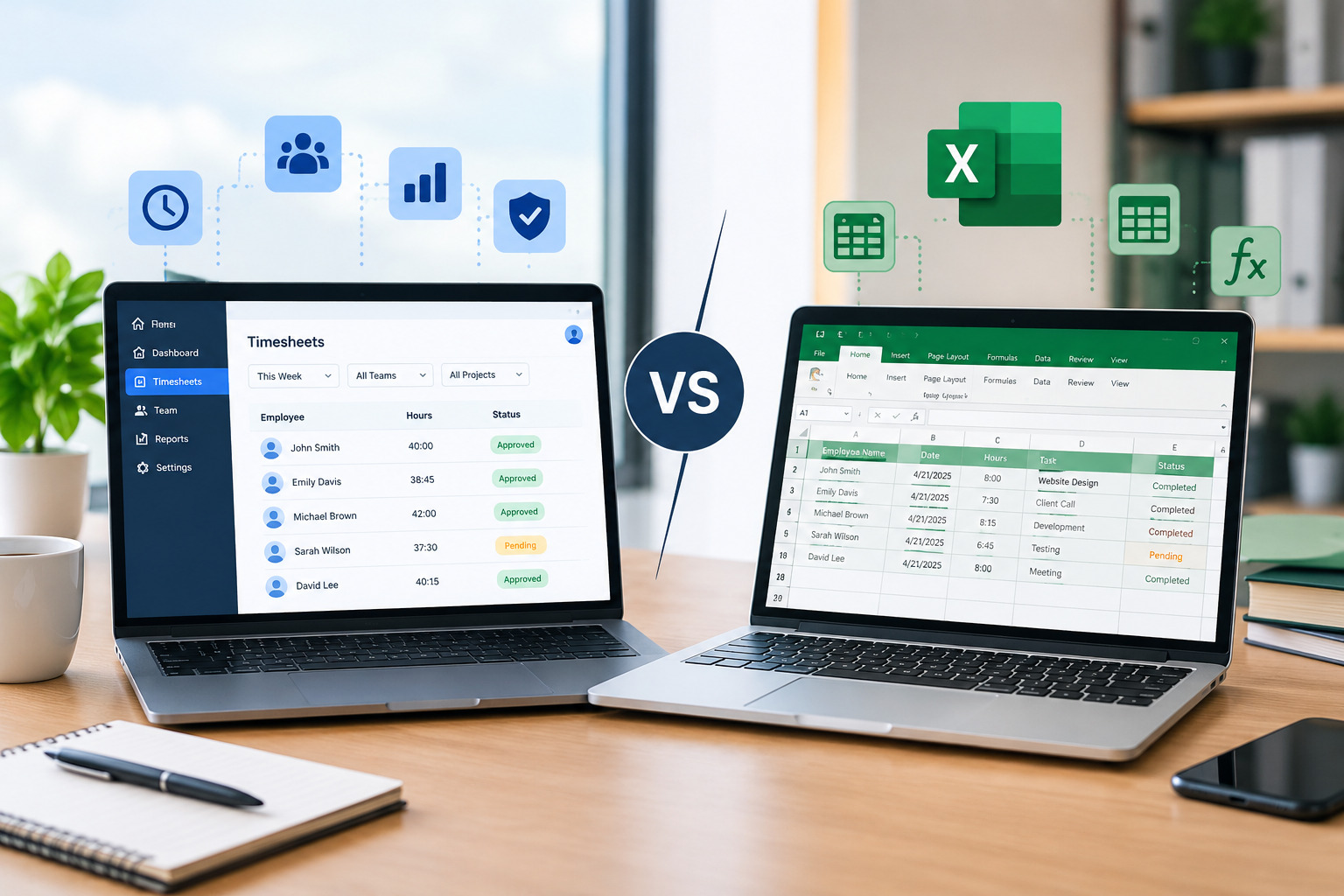
- Timesheet Software vs. Excel: Which Is Better for Businesses?
Stay Ahead. Simplify Workforce Management.
Empower your teams to work efficiently with a unified workforce platform built for clarity, control, and actionable insights across your organization.