

Managing employee availability is one of the most important parts of creating an effective workforce schedule. Before managers can decide who should work a particular shift, they need to understand when employees are available, when they are unavailable, which hours they prefer, and whether there are any recurring restrictions that need to be considered.
For small teams with relatively predictable schedules, availability management may seem straightforward. Managers may simply ask employees about their preferred working hours or keep a basic spreadsheet of availability. However, as a business grows, employee availability can change frequently. New employees join, existing employees change their commitments, people request time off, and teams may begin operating across different shifts or locations.
When availability information is inaccurate or outdated, scheduling becomes much more difficult. Managers may assign employees to shifts they cannot work, create unnecessary schedule conflicts, leave important shifts understaffed, or spend hours contacting employees to confirm availability.
Modern employee availability management is therefore about more than simply asking employees when they can work. It requires a consistent process for collecting, updating, reviewing, and using availability information when building schedules.
With the right approach and workforce management technology, businesses can create more accurate schedules, reduce conflicts, improve staffing coverage, and give employees greater visibility into their work schedules.
What Is Employee Availability Management?
Employee availability management is the process of collecting and maintaining information about when employees are available to work and using that information when creating and adjusting workforce schedules.
Availability can include regular working hours, preferred shifts, recurring unavailable periods, temporary restrictions, location availability, and other scheduling considerations.
For example, an employee may be available Monday through Friday but unavailable on Wednesday evenings. Another employee may only be available for morning shifts, while a part-time employee may have different availability each week.
Availability can also change over time. An employee may begin a course, change transportation arrangements, take on family responsibilities, or change their preferred working hours.
Effective availability management ensures that managers have access to current information when assigning shifts.
Why Is Employee Availability Important for Workforce Scheduling?
Employee availability is one of the fundamental inputs used when creating a schedule.
Managers need to balance several factors at the same time, including staffing requirements, employee skills, business demand, time-off requests, labor budgets, shift requirements, and employee availability.
If availability information is missing or inaccurate, even a carefully planned schedule can fail.
For example, a manager may schedule enough employees for a busy period based on headcount alone. However, if several of those employees are unavailable during that period, the business can still experience a staffing shortage.
Accurate availability information allows managers to create schedules based on what employees can realistically work rather than relying on assumptions.
Office1Solution’s existing scheduling content specifically identifies employee availability as an important part of reducing scheduling conflicts and improving shift planning.
Employee Availability vs. Employee Preferences
Availability and preferences are related, but they are not the same thing.
Employee availability refers to the times when an employee can realistically work. A preference refers to the times an employee would ideally like to work.
For example, an employee may be available on Saturday but prefer not to work Saturdays. Another employee may prefer morning shifts but be available for both morning and afternoon shifts.
Managers should distinguish between these two types of information.
Availability represents a scheduling constraint that may need to be respected. Preferences provide additional information that can help managers create a more employee-friendly schedule when business requirements allow.
Making this distinction helps managers balance employee needs with operational requirements.
The Challenges of Managing Employee Availability Manually
Many businesses initially manage availability through spreadsheets, emails, text messages, phone calls, or verbal conversations.
This approach can work for a very small team, but it becomes increasingly difficult as the workforce grows.
An employee may send an updated availability schedule by email while the manager continues using an older spreadsheet. Another employee may tell a supervisor about a temporary restriction, but the information may never reach the person responsible for creating the next schedule.
Over time, managers can end up with multiple versions of availability information.
Office1Solution’s existing comparison of Excel and scheduling software highlights employee availability as one of the areas where spreadsheet-based processes become difficult. Managers may receive availability through emails, texts, phone calls, notes, and verbal conversations, making it harder to maintain an accurate central record.
The problem is not simply the amount of information. It is the lack of a reliable system for keeping that information current.
Best Practices for Employee Availability Management
Create a Centralized Availability System
The first step toward better employee availability management is creating a single place where availability information is stored.
Instead of keeping employee availability across different spreadsheets, emails, messages, and notes, businesses should maintain one central record.
A centralized system gives managers a consistent source of information when creating schedules.
It also reduces the risk of one manager using outdated information while another manager has a more recent version.
For larger teams, centralized availability becomes even more important because multiple managers or supervisors may participate in scheduling.
Office1Solution’s scheduling platform is designed around centralized workforce coordination, allowing managers to work with schedules, time-off information, and workforce activity within one system.
Allow Employees to Submit Their Own Availability
Employees are often the best source of information about when they can work.
Instead of requiring managers to manually collect availability from every employee, businesses can provide employees with a self-service process for submitting or updating their availability.
This reduces administrative work and gives employees greater responsibility for keeping their information current.
It also reduces the risk of managers incorrectly recording availability based on conversations or outdated information.
Employee self-service is particularly useful for part-time employees, students, seasonal workers, and teams whose availability changes frequently.
Establish Clear Availability Rules
Employees should understand exactly what information they are expected to provide.
A clear availability policy might explain how employees should submit their regular availability, how temporary changes should be reported, how much notice should be provided, and how availability differs from time-off requests.
Without clear rules, employees may provide information in different formats or communicate changes through informal channels.
Consistency makes the information easier for managers to use.
Set a Deadline for Availability Updates
Businesses can improve scheduling accuracy by establishing a regular deadline for employees to submit availability changes.
For example, an organization might ask employees to update availability before a specific day each week or before the next scheduling period begins.
The exact deadline should depend on the business’s scheduling cycle.
The purpose is to give managers enough time to review availability before creating the schedule.
This is particularly important for businesses where schedules are published several days or weeks in advance.
Separate Permanent and Temporary Availability Changes
Not every availability change is permanent.
An employee may have a recurring restriction that will continue for several months, while another employee may only be unavailable for one specific week.
These situations should be recorded differently.
A temporary change should not accidentally replace an employee’s regular availability permanently.
Similarly, a permanent change should not be treated as a one-time exception.
Clearly distinguishing between recurring availability and temporary changes helps managers create more accurate schedules.
Review Availability Before Publishing Every Schedule
Availability information should not simply be collected and forgotten.
Managers should consider it during every scheduling cycle.
Before publishing a schedule, they should review whether assigned shifts conflict with known availability restrictions.
This step can prevent avoidable common scheduling problems before employees see the schedule.
It is much easier to correct a potential conflict before publishing a schedule than to discover it after the employee has already made plans around their assigned shift.
Connect Availability With Time-Off Requests
Employee availability and time-off management are closely connected, but they serve different purposes.
Availability describes when an employee can generally work. A time-off request usually describes a specific period when an employee is requesting not to work.
For example, an employee might normally be available Monday through Friday but submit a vacation request for one particular week.
Managers need visibility into both pieces of information when creating schedules.
Office1Solution includes time-off request management within its workforce platform, and its scheduling dashboard provides a time-off request queue with balance context.
Connecting these processes reduces the need for managers to compare separate records manually.
Consider Employee Skills Alongside Availability
Availability alone does not determine whether an employee can fill a shift.
Managers may also need to consider skills, certifications, job responsibilities, experience, or location-specific requirements.
For example, five employees may be available for a particular shift, but only two may have the skills required for the role.
Effective scheduling therefore combines availability with workforce qualifications.
This is especially important for healthcare, manufacturing, technical services, field operations, and other industries where certain assignments require specialized capabilities.
Consider Availability Across Multiple Locations
Employee availability can become more complicated when a workforce operates across multiple locations.
An employee may be available during a particular period but already assigned to another location.
Managers therefore need to consider not only whether the employee is available but also where the employee is scheduled.
Office1Solution’s multi-location scheduling guidance recommends centralized scheduling and specifically identifies employee availability, skills, leave requests, overtime, and shift coverage as factors managers need to consider across locations.
A centralized system makes this information easier to review before assigning shifts.
Use Availability to Identify Coverage Gaps
Availability management should support proactive workforce planning, not just conflict prevention.
Once managers understand when employees can work, they can identify periods where available staffing does not match business demand.
For example, a business may discover that it has plenty of employees available during low-demand hours but not enough qualified employees available during peak periods.
This information can influence hiring, cross-training, shift design, and workforce planning.
Office1Solution’s scheduling platform provides coverage-gap detection to help managers identify staffing issues before they become operational problems.
Keep Availability Information Current
Employee availability is not static.
Managers should encourage employees to update their information whenever their circumstances change.
A system that contains availability information from six months ago may be less useful than a smaller dataset that is regularly updated.
Businesses should also periodically remind employees to review their availability and confirm that their information remains accurate.
This creates a culture where employees understand that maintaining availability information is part of their scheduling responsibility.
How Employee Availability Affects Scheduling Accuracy
Accurate availability can significantly improve the quality of employee schedules.
When managers know who can work each shift, they can avoid assigning employees to unavailable periods.
This reduces the need for schedule corrections after publication.
It can also help managers identify potential staffing shortages earlier.
For example, if a business needs six employees during a particular evening but only four qualified employees are available, the problem can be identified before the schedule is finalized.
Managers can then look for alternatives such as adjusting shifts, requesting additional availability, using cross-trained employees, or recruiting additional staff.
How Employee Availability Affects Employee Satisfaction
Scheduling affects employees beyond their working hours.
Employees use their schedules to plan transportation, family responsibilities, education, appointments, rest, and other personal activities.
When managers consistently schedule employees outside their known availability, employees may feel that their time is not being respected.
Office1Solution’s existing article on scheduling and employee satisfaction emphasizes that unpredictable schedules, last-minute changes, scheduling conflicts, and poor communication can contribute to employee frustration.
Respecting availability does not mean employees will always receive their preferred shifts. Businesses still need to meet operational requirements.
However, using accurate availability information shows employees that their stated constraints are being considered as part of the scheduling process.
How Employee Availability Affects Overtime
Availability management can also influence overtime.
When managers cannot find enough available employees for a shift, they may repeatedly rely on the same employees to work additional hours.
This can increase overtime and create an uneven distribution of working hours.
Better availability visibility gives managers a broader view of potential staffing options.
Instead of immediately assigning additional hours to the same employees, managers can identify other qualified employees who may be available.
This can support better labor planning and help businesses manage overtime more effectively.
How Employee Availability Affects Shift Swapping
Availability is also important when employees request shift swaps.
A coworker may be willing to take another employee’s shift, but willingness does not necessarily mean availability.
Managers need to know whether the replacement employee is already scheduled elsewhere or has an availability restriction.
Office1Solution’s scheduling platform includes shift swap requests and open-shift self-service pickup, allowing businesses to provide flexibility while maintaining centralized scheduling control.
Connecting availability with shift management creates a more reliable process than simply asking employees to arrange swaps through messages.
Employee Availability Management for Part-Time Employees
Part-time employees often have more variable availability than full-time employees.
Their schedules may depend on education, other employment, family responsibilities, or changing personal commitments.
For these employees, availability information can be particularly important.
Managers should establish clear expectations for how part-time employees communicate their available hours and how far in advance changes should be submitted.
The goal is to create flexibility without making scheduling unpredictable for the business.
Digital availability management can help both sides by giving employees a structured way to communicate when they can work.
Employee Availability Management for Shift-Based Teams
Shift-based organizations often have more complex scheduling requirements than traditional nine-to-five workplaces.
They may need to manage morning, afternoon, evening, overnight, weekend, and rotating shifts.
Some employees may be available for specific shift types while others can work a broader range.
Availability management helps managers understand these differences.
When combined with recurring shift templates and coverage monitoring, availability information can support more efficient workforce planning.
Office1Solution’s Scheduling Timesheet platform supports recurring shift templates, weekly and multi-week scheduling views, coverage-gap detection, double-booking detection, and shift swaps for shift-based workforces.
Employee Availability Management for Multi-Location Teams
Managing availability becomes more challenging when employees can work across multiple locations.
A manager may need to know not only whether an employee is available but also whether they can realistically work at a particular site.
Separate location-based spreadsheets can make this difficult.
Centralized scheduling allows managers to coordinate employees across locations while maintaining location-specific scheduling requirements.
Office1Solution’s existing multi-location scheduling guide recommends centralizing scheduling and maintaining updated employee availability before creating schedules.
This approach can reduce duplicate work and improve workforce visibility.
How Technology Improves Employee Availability Management
Technology can turn availability management from a manual administrative task into a structured workforce process.
Instead of asking employees to send availability through email or text messages, businesses can provide a centralized system where employees submit and update their information.
Managers can then use that information while creating schedules.
The benefits become even greater when availability is connected with time-off requests, scheduling, shift swaps, attendance, and timesheets.
Office1Solution’s scheduling platform is built around this connected approach. Its system combines scheduling and time tracking, provides a time-off request queue, supports shift swaps, detects coverage gaps and double bookings, and maintains real-time workforce visibility.
Employee Availability Management vs. Spreadsheet Tracking
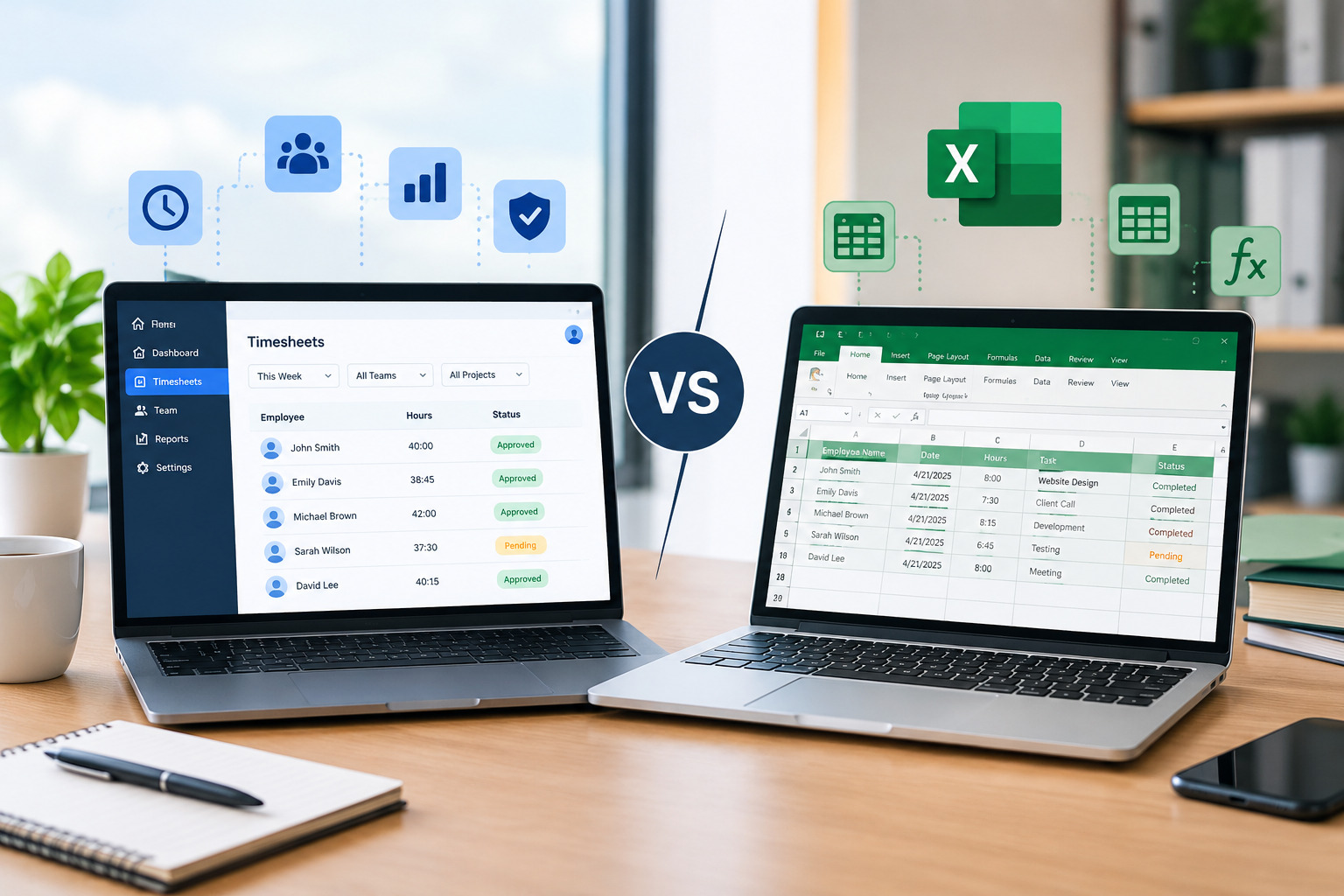
Spreadsheets can be useful for small teams, but they become increasingly difficult to manage as the workforce grows.
With a spreadsheet-based process, employees may send availability changes through different channels, requiring managers to manually update the file.
This can create version-control problems.
Scheduling software can provide a centralized environment where availability is submitted and maintained within the workforce system.
Office1Solution’s comparison of Excel and scheduling software specifically identifies employee availability as an area where spreadsheets become difficult to maintain because information may come from emails, texts, phone calls, notes, and verbal conversations.
The key difference is not simply that one method is digital and the other is not. The important difference is whether the organization has a reliable, centralized process for maintaining current workforce information.
Common Employee Availability Management Mistakes
One common mistake is assuming that employee availability never changes.
Another is treating employee preferences as absolute availability rules or, conversely, ignoring genuine availability restrictions entirely.
Businesses may also collect availability information but fail to update it when employees’ circumstances change.
Another issue is keeping availability separate from scheduling, leave, and workforce records.
Managers can also create problems by relying on outdated spreadsheets or messages instead of a centralized source of information.
Finally, businesses sometimes focus only on availability and forget to consider skills, location, staffing demand, working hours, and overtime.
Effective availability management requires all of these factors to work together.
How to Build an Effective Employee Availability Policy
An employee availability policy should clearly explain what employees are expected to provide and how that information will be used.
The policy should define regular availability, temporary changes, availability deadlines, time-off requests, shift preferences, and the process for updating information.
It should also explain that providing availability does not guarantee that an employee will receive every preferred shift.
The organization still needs to schedule employees according to business demand, staffing requirements, skills, and other operational considerations.
A clear policy creates consistent expectations for both employees and managers.
How Managers Can Improve Availability Data Quality
Managers should periodically review availability information rather than assuming it remains accurate indefinitely.
One practical approach is to ask employees to confirm their availability at regular intervals.
Managers can also monitor scheduling conflicts and identify employees who repeatedly need schedule corrections.
If an employee’s schedule frequently conflicts with their recorded availability, the manager can investigate whether the availability information needs to be updated.
The goal is to maintain accurate data without creating unnecessary administrative work.
Using Availability Data for Better Workforce Planning
Employee availability data becomes more valuable when businesses use it for long-term planning.
Managers can identify patterns such as recurring shortages during certain shifts or departments where too few employees are available at peak times.
These patterns can influence recruitment, cross-training, shift design, and employee development.
For example, if a business consistently lacks qualified employees for evening shifts, management may need to recruit employees with evening availability or cross-train existing workers.
Availability data can therefore help businesses move beyond reactive scheduling and toward proactive workforce planning.
How Office1Solution Supports Employee Availability Management
Office1Solution provides a centralized workforce-management platform designed to help businesses coordinate people, time, schedules, and related workforce processes.
Its Scheduling Timesheet product is designed for shift-based organizations and includes scheduling, time tracking, timesheets, time-off visibility, shift swaps, coverage-gap detection, double-booking detection, and real-time workforce coordination.
The platform is intended for organizations including staffing agencies, operations teams, service businesses, healthcare teams, and retail operations, where employee availability and shift coverage can have a direct impact on daily operations.
By connecting scheduling with other workforce processes, businesses can reduce the need to maintain separate records and give managers a more complete view of workforce activity.
Best Practices for Employees Managing Their Availability
Employees also have an important role in keeping availability information accurate.
They should communicate changes as soon as they know about them rather than waiting until the schedule has already been published.
Employees should distinguish between times they cannot work and times they simply prefer not to work.
They should also regularly review their availability information and notify management when circumstances change.
When employees keep their availability current, managers have better information for creating schedules.
This creates a shared responsibility between employees and management rather than placing the entire burden on the scheduling team.
Creating a More Flexible Workforce Without Losing Control
Employee availability management should not be about creating a rigid workplace where every schedule is determined by fixed rules.
Modern teams often need flexibility.
Employees may have changing schedules, and businesses may experience changing demand.
The goal is to create a process that supports flexibility while maintaining operational control.
A centralized availability system allows managers to understand employee constraints while still considering business requirements.
When availability, scheduling, time off, shift swaps, attendance, and timesheets are connected, organizations can respond to changes more effectively.
Measuring the Effectiveness of Availability Management
Businesses can evaluate their availability-management process by monitoring scheduling-related outcomes.
Useful indicators may include the number of schedule corrections, availability-related conflicts, unfilled shifts, last-minute changes, shift swaps, overtime hours, and employee schedule complaints.
A reduction in these problems can indicate that the availability process is becoming more effective.
Managers should also look for recurring patterns.
If availability conflicts remain high despite having a formal process, the organization may need to improve communication, employee self-service, scheduling policies, or workforce planning.
Frequently Asked Questions About Employee Availability Management
What is employee availability management?
Employee availability management is the process of collecting, updating, and using information about when employees can work. It helps managers create schedules that account for employee availability while meeting business staffing requirements.
Why is employee availability important?
Accurate employee availability helps managers avoid scheduling employees when they cannot work, identify potential coverage gaps, reduce unnecessary schedule changes, and create more reliable workforce schedules.
How often should employees update their availability?
Employees should update availability whenever their circumstances change. Businesses can also establish regular review periods so employees can confirm that their information remains accurate.
What is the difference between availability and time off?
Availability describes when an employee can generally work. Time off usually refers to a specific period when an employee requests not to work. Both types of information should be considered when creating schedules.
Can scheduling software manage employee availability?
Yes. Modern scheduling platforms can allow employees to submit or update availability and give managers centralized visibility when creating schedules. Office1Solution’s scheduling platform is designed to provide centralized workforce coordination and scheduling visibility.
How does employee availability affect scheduling conflicts?
When managers have inaccurate availability information, they may assign employees to shifts they cannot work. Accurate availability helps prevent these conflicts before schedules are published.
Can employee availability management reduce overtime?
Better availability visibility can help managers identify more staffing options before assigning additional hours to the same employees. This can support better labor planning and help reduce avoidable overtime.
How can businesses manage availability across multiple locations?
Businesses can use centralized scheduling to maintain visibility into employee assignments and availability across locations. This can make it easier to coordinate staffing while considering location-specific requirements.
Final Thoughts
Employee availability management is the foundation of effective workforce scheduling.
When managers have accurate information about when employees can work, they can make better decisions about shift assignments, staffing coverage, overtime, shift swaps, and workforce planning.
The challenge is maintaining that information as the workforce changes.
Manual spreadsheets, emails, messages, and verbal updates can become difficult to manage as organizations grow. A centralized employee availability process gives both employees and managers a more reliable way to maintain current workforce information.
Modern scheduling software can take this process further by connecting employee availability with scheduling, time-off management, shift swaps, attendance, and timesheets.
Office1Solution provides a workforce-management platform designed to connect these processes and give managers greater visibility into their teams. Its Scheduling Timesheet solution includes scheduling, time tracking, time-off visibility, shift swaps, coverage-gap detection, double-booking detection, and real-time workforce coordination.
Ultimately, effective availability management is not about guaranteeing every employee their preferred schedule. It is about creating a transparent and reliable system where employee availability is considered alongside business demand, skills, staffing requirements, and labor constraints.
When businesses manage availability effectively, employees gain greater predictability and flexibility, while managers gain better control over workforce planning. That combination can create a more efficient, responsive, and employee-friendly workplace.
Recent Posts
- Time and Attendance Software: Complete Guide for Employers

- Time and Attendance: What’s the Difference Between the Two?

- How to Reduce Timesheet Errors and Improve Payroll Accuracy

- Timesheet App for Employees: Features, Benefits & Best Practices

- Timesheet Software vs. Excel: Which Is Better for Businesses?
Stay Ahead. Simplify Workforce Management.
Empower your teams to work efficiently with a unified workforce platform built for clarity, control, and actionable insights across your organization.