

Employee scheduling is one of the most important day-to-day responsibilities for small business owners and managers. A well-planned schedule helps ensure that the right employees are available when they are needed, while a poorly managed schedule can lead to understaffing, unnecessary overtime, employee frustration, and higher labor costs.
For a small business, scheduling can initially seem simple. With only a few employees, a manager may be able to create a weekly schedule using a spreadsheet, calendar, or even a paper schedule. However, as the business grows, scheduling becomes more complicated. Employee availability changes, time-off requests increase, shifts need to be covered, business demand fluctuates, and managers have to make sure employees are not accidentally scheduled for overlapping shifts.
This is where a structured employee scheduling process becomes valuable.
Small businesses need a scheduling approach that balances business requirements with employee availability, skills, working hours, and operational demand. Modern employee scheduling software can make this process easier by bringing schedules, shift management, time tracking, and timesheets together in one system.
In this guide, we will explain what employee scheduling means for small businesses, why it matters, common scheduling challenges, how to create an effective employee schedule, and when a small business should consider using employee scheduling software.
What Is Employee Scheduling?
Employee scheduling is the process of deciding when employees will work, which shifts they will cover, and how many employees are needed during different periods of the business day.
A schedule typically includes information such as employee names, work dates, shift start and end times, locations, roles, and assigned responsibilities. Depending on the business, it may also include breaks, overtime considerations, time-off requests, and shift changes.
For small businesses, employee scheduling is closely connected to daily operations. A retail store needs enough employees available when customers are most likely to visit. A restaurant needs adequate staff during lunch and dinner. A service business needs employees available when customer appointments or jobs are scheduled. A small warehouse may need additional workers during periods of increased shipments.
The objective is not simply to assign employees to available shifts. The objective is to match workforce availability with actual business requirements.
Why Employee Scheduling Matters for Small Businesses
Employee scheduling has a direct effect on productivity, customer service, employee experience, and labor costs.
When too few employees are scheduled during busy periods, existing employees may become overloaded. Customers may experience longer waiting times, service quality may decline, and employees may feel stressed.
On the other hand, scheduling too many employees during slow periods can increase labor costs without providing additional value.
This balance is particularly important for small businesses because they often operate with tighter budgets and smaller teams. One unexpected absence or scheduling mistake can have a noticeable effect on daily operations.
An effective scheduling process helps small businesses make better use of the employees they already have while maintaining appropriate staffing levels.
Why Employee Scheduling Becomes Difficult as a Small Business Grows
A business does not need hundreds of employees before scheduling becomes complicated.
Even a team of 10 or 20 employees can have different availability, roles, working preferences, time-off requests, and shift requirements. Managers may also have to account for part-time employees, full-time employees, weekend coverage, overtime, changing demand, and unexpected absences.
The difficulty increases when schedules are maintained in separate spreadsheets or communicated through multiple channels.
A manager might update a spreadsheet but forget to notify an employee. An employee may agree to a shift swap without the schedule being updated. Another employee may already be scheduled at the same time.
These small issues can quickly create larger operational problems.
Office1Solution’s current scheduling platform is designed to centralize shift scheduling and workforce coordination, with features such as recurring shift templates, weekly and multi-week scheduling views, coverage-gap detection, double-booking detection, shift swaps, open-shift pickup, and real-time schedule updates.
Common Employee Scheduling Challenges for Small Businesses
Changing Employee Availability
One of the most common scheduling challenges is changing employee availability.
Employees may have different availability during weekdays, evenings, weekends, holidays, or school periods. Their availability may also change because of personal responsibilities, appointments, education, or other commitments.
If managers rely on outdated availability information, they may create schedules that employees cannot actually work.
For this reason, small businesses should establish a simple process for employees to communicate availability changes and time-off requests.
Keeping this information organized makes it easier for managers to build realistic schedules.
Unexpected Employee Absences
Small businesses often have limited backup staff.
If one employee calls in sick, the manager may need to find a replacement quickly. When there is no centralized view of availability, finding someone to cover the shift can take considerable time.
A structured shift-management process can make it easier to identify available employees and communicate changes.
This is particularly important for businesses where every shift requires a minimum number of employees.
Scheduling Conflicts
Scheduling conflicts can happen when an employee is assigned to two overlapping shifts or when a schedule change creates an unintended conflict.
These problems are more likely when managers use multiple spreadsheets, messaging applications, or informal communication.
A centralized scheduling system can help reduce these errors by giving managers and employees one shared source of schedule information.
Overtime
Overtime can become another challenge when small businesses are trying to cover additional shifts.
A manager may assign extra hours to a reliable employee without realizing that the employee is already close to their expected weekly hours.
When overtime is tracked separately from scheduling, it can be difficult to understand how staffing decisions affect labor costs.
Connecting scheduling with actual time records gives managers better visibility into planned and worked hours.
Balancing Employee Preferences With Business Needs
Employees naturally have preferred shifts.
Some may prefer mornings, while others may prefer evenings or weekends. Small businesses should consider these preferences where practical, but schedules must ultimately provide the staffing needed to operate the business.
Fair scheduling does not necessarily mean giving everyone exactly the same shifts. Instead, managers should use clear and consistent criteria when making scheduling decisions.
Office1Solution’s guidance on fair employee scheduling emphasizes considering availability, qualifications, workload, time-off requests, contracted hours, and shift requirements when creating schedules.
How to Create an Effective Employee Schedule
Creating an effective schedule starts with understanding the business rather than immediately assigning employees.
Managers should first determine when employees are actually needed, then match qualified employees to those requirements.
Start With Business Demand
The first question should be:
When does the business need the most employees?
Different businesses have different demand patterns.
A restaurant may be busiest during lunch and dinner. A retail store may experience higher customer traffic during evenings and weekends. A service business may have demand based on appointments or customer requests.
Instead of scheduling the same number of employees throughout the day, managers can adjust staffing based on expected workload.
Office1Solution’s recent guide on demand-based employee scheduling recommends identifying peak and slow periods and then matching staffing requirements with employee availability and qualifications.
This approach can help small businesses avoid both understaffing and unnecessary labor costs.
Determine How Many Employees Are Needed
Once demand patterns are understood, determine the minimum staffing level required for each period.
For example, a small retail business may need two employees during quieter hours but four during the evening rush.
The required number can also vary by role.
A business may need one supervisor, two customer service employees, and one operational employee rather than simply four employees with any combination of skills.
Staffing requirements should therefore consider both headcount and qualifications.
Understand Employee Availability
After determining staffing needs, managers can compare them with employee availability.
A good schedule should be based on current information rather than assumptions.
Employees should have a straightforward way to communicate their availability and request time off. Managers should review this information before assigning shifts.
For small businesses, even a simple availability process can prevent many avoidable scheduling problems.
Consider Employee Skills
Not every employee can perform every task.
Some roles require specific experience, training, certifications, or responsibilities.
When creating a schedule, managers should make sure each shift has the right combination of skills.
A schedule can appear fully staffed but still create an operational problem if no one assigned to the shift is qualified to perform an essential responsibility.
Create Consistent Shift Patterns
Whenever possible, small businesses should create predictable shift patterns.
For example, a business might establish opening, mid-day, and closing shifts rather than creating completely different working hours every day.
Consistent patterns make schedules easier to understand and can reduce the administrative work involved in creating them.
Recurring shift templates can be especially useful for businesses where the same shift structure repeats from week to week. Office1Solution’s Scheduling Timesheet platform includes recurring shift templates along with weekly and multi-week schedule views.
Publish the Schedule in Advance
Employees need enough notice to plan their personal lives around work.
Publishing schedules at the last minute can create unnecessary stress and increase the likelihood of employees requesting changes.
When schedules are published in advance, managers also have more time to identify coverage gaps and resolve potential conflicts.
For small businesses, schedule predictability can improve communication and reduce the number of last-minute scheduling problems.
How Far in Advance Should a Small Business Create Employee Schedules?
There is no single schedule-publication timeline that works for every business.
The right approach depends on the industry, workforce, demand patterns, and how frequently schedules change.
However, the general principle is simple: employees should receive schedules with enough notice to reasonably plan around them.
A business with predictable weekly demand may be able to prepare schedules further in advance than a business whose workload changes daily.
The important thing is to establish a consistent process and communicate it clearly to employees.
How to Handle Employee Time-Off Requests
Time-off requests should be incorporated into the scheduling process rather than handled separately.
When managers build schedules without checking approved leave, they may create staffing gaps that could have been avoided.
A structured process should allow employees to submit requests and managers to review them before schedules are finalized.
Office1Solution’s scheduling environment includes a time-off request queue with balance context, helping managers review time-off information alongside scheduling activities.
For small businesses, connecting time-off information with scheduling can reduce manual coordination and make schedule planning easier.
How to Handle Shift Swaps
Employees sometimes need to exchange shifts because of personal commitments or unexpected changes.
Allowing shift swaps can provide employees with flexibility, but managers should still maintain oversight.
A replacement employee should be available, qualified, and not already scheduled for another shift.
The official schedule should also be updated once a swap is approved.
Office1Solution’s scheduling platform includes shift-swap requests and open-shift self-service pickup, providing a structured way for employees to participate in filling schedule gaps.
Small businesses can also benefit from having a written shift-swap policy that explains who can approve changes and when a swap becomes official.
Explore Employee Shift Swapping: Best Practices for Managers and Employees
How to Manage Last-Minute Shift Changes
Last-minute changes are sometimes unavoidable.
An employee may become sick, transportation may be disrupted, or an unexpected business requirement may require additional staffing.
The goal should not be to eliminate every last-minute change. Instead, businesses should have a process for handling changes without creating additional scheduling problems.
Managers should quickly identify available employees, verify that they are qualified, update the official schedule, and communicate the change to everyone affected.
A centralized schedule can make this process easier because managers and employees can work from the same updated information.
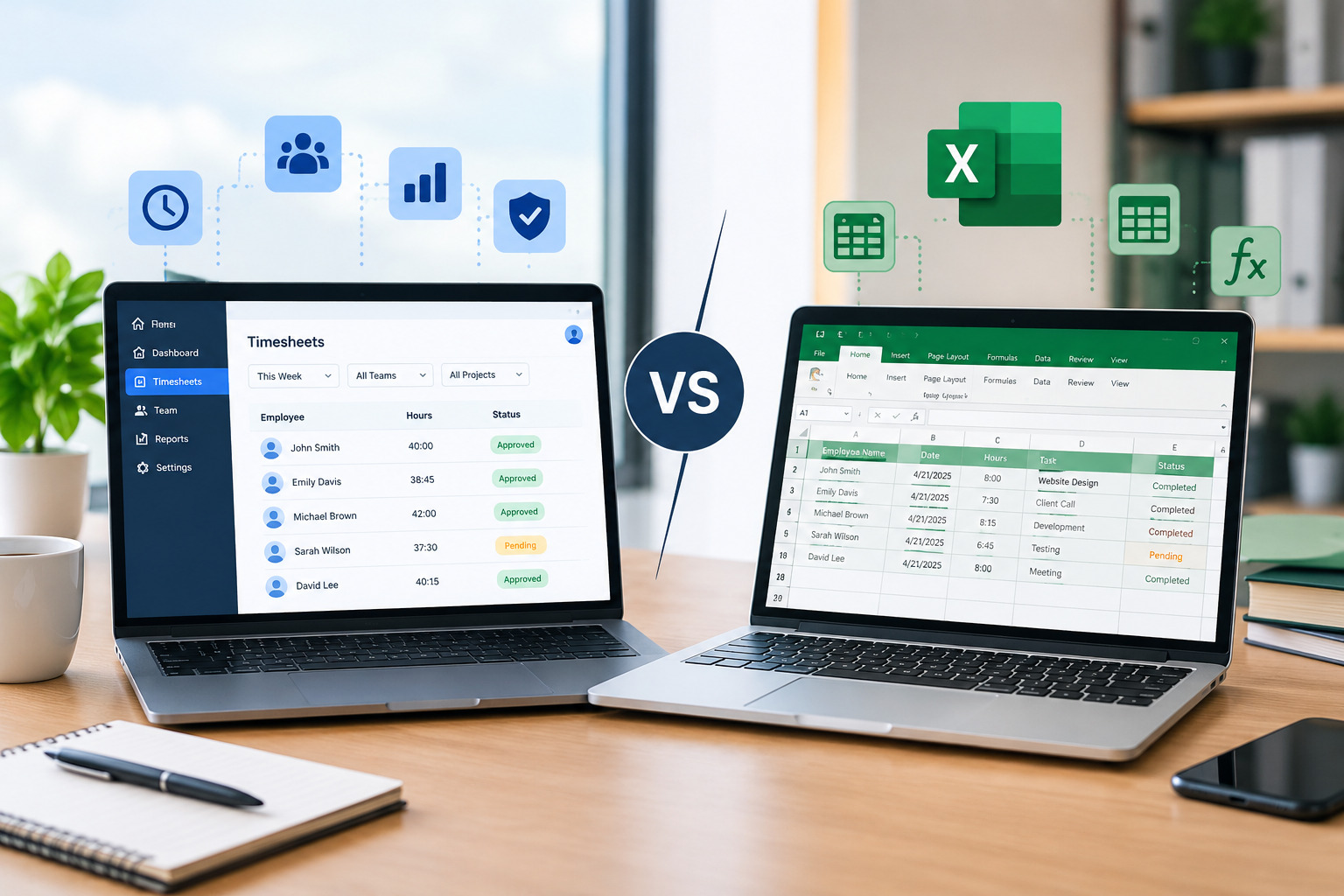
Why Small Businesses Should Avoid Relying Entirely on Spreadsheets
Spreadsheets can be useful for small teams.
They are familiar, flexible, and inexpensive. A small business with only a few employees and simple shift requirements may be able to manage scheduling effectively with a spreadsheet.
The problem begins when the schedule becomes more complicated.
Managers may need to track availability, time off, overtime, multiple locations, shift swaps, recurring shifts, attendance, and actual hours worked.
Each additional requirement increases the amount of information that must be maintained.
A spreadsheet can show a schedule, but it may require significant manual work to keep everything accurate.
Office1Solution’s current scheduling platform is designed to centralize scheduling and time tracking rather than requiring managers to maintain separate systems.
When Should a Small Business Move to Scheduling Software?
A small business does not necessarily need scheduling software from its first day of operation.
However, there are several signs that a manual scheduling process may be becoming inefficient.
If managers spend significant time creating schedules, employees frequently report conflicts, shift swaps are difficult to track, overtime is increasing, or last-minute changes are common, it may be time to consider dedicated scheduling software.
Another sign is when the business begins operating across multiple locations or has employees working different shift patterns.
The key question is not simply how many employees a business has.
The more important question is:
How complex has workforce scheduling become?
A business with 15 employees working simple fixed hours may have fewer scheduling challenges than a business with eight employees working rotating shifts, weekends, and multiple locations.
What Should Small Businesses Look for in Employee Scheduling Software?
When evaluating employee scheduling software, small businesses should focus on features that solve their actual operational problems.
The system should make it easy to create and publish schedules without requiring extensive administrative work.
Employee availability and time-off information should be easy to access.
Managers should also be able to identify scheduling conflicts and coverage gaps before they become operational problems.
For businesses with recurring shifts, recurring templates can reduce repetitive scheduling work. For teams where employees regularly exchange shifts, shift-swap functionality can make schedule changes easier to manage.
It is also valuable to connect scheduling with time tracking and timesheets so managers can compare planned hours with actual hours.
Office1Solution’s Scheduling Timesheet platform combines schedules, time tracking, and timesheets in one environment and includes recurring shift templates, coverage-gap detection, double-booking alerts, shift swaps, open-shift pickup, and planned-versus-actual hour visibility.
How Employee Scheduling Software Can Help Small Businesses
The main advantage of scheduling software is centralization.
Instead of managing schedules, time-off requests, shift changes, attendance, and timesheets through separate tools, managers can use a connected workforce-management system.
This can reduce repetitive administrative work and improve visibility.
For example, a manager can create a schedule, publish it to employees, manage a shift change, and then compare scheduled hours with actual time worked.
Office1Solution describes its scheduling solution as a workforce coordination platform designed to close the gap between planning and execution. Its current product information includes connected scheduling and timesheets, planned-versus-actual hour tracking, conflict alerts, and real-time team coordination.
For a growing small business, this type of connection can make scheduling easier to manage as workforce complexity increases.
How to Control Labor Costs Through Better Scheduling
Labor is often one of the most significant operating expenses for small businesses.
Scheduling too many employees during slow periods can increase labor costs, while understaffing during busy periods can reduce productivity and customer service.
A demand-based scheduling approach can help businesses match staffing levels with expected workload.
Managers should also monitor overtime and compare scheduled hours with actual hours worked.
If employees regularly work more hours than planned, the business should investigate why.
The cause could be understaffing, inaccurate workload estimates, unexpected absences, poor scheduling practices, or recurring demand increases.
The goal is not simply to reduce employee hours. It is to use labor efficiently while maintaining the staffing required to operate effectively.
How to Make Employee Scheduling Fair
Fair scheduling is important for employee trust.
Employees may become frustrated if they believe certain people consistently receive better shifts, more hours, fewer weekends, or more opportunities for overtime.
A fair schedule does not mean that every employee receives exactly the same number of hours.
Instead, managers should apply consistent scheduling criteria.
Availability, role requirements, qualifications, contracted hours, business demand, and approved time off can all be considered when assigning shifts.
Managers should also communicate scheduling policies clearly so employees understand how decisions are made.
Track Planned Hours Versus Actual Hours
One of the most useful improvements a small business can make is comparing scheduled hours with actual hours worked.
The schedule represents the plan.
Time tracking represents what actually happened.
If employees consistently clock in early, stay late, or work additional shifts, managers may discover that the original schedule does not accurately reflect operational needs.
Office1Solution’s Scheduling Timesheet Management platform connects schedules with time tracking and timesheets, allowing managers to see planned versus actual hours and reduce the need for duplicate data entry.
This information can be used to improve future schedules.
Use Scheduling Data to Improve Future Schedules
Employee scheduling should be treated as an ongoing process.
After each scheduling period, managers can review what worked and what did not.
Were there coverage gaps?
Did employees work more hours than expected?
Were there many shift swaps?
Did the business experience unexpected demand?
Were certain shifts consistently understaffed?
The answers can help managers improve future schedules.
Over time, small businesses can develop a better understanding of their staffing patterns and make scheduling decisions based on actual operational data instead of assumptions.
Employee Scheduling for Different Types of Small Businesses
Retail Businesses
Retail stores often experience changing customer demand throughout the day and week.
Managers may need more employees during evenings, weekends, holidays, or promotional periods.
A flexible schedule can help the business increase coverage during busy periods while avoiding unnecessary staffing during slower hours.
Restaurants
Restaurants often have highly variable staffing requirements.
Lunch, dinner, weekends, holidays, and special events can require different staffing levels.
Scheduling should account for both customer demand and the different roles required, such as servers, kitchen staff, hosts, and supervisors.
Service Businesses
Service businesses may schedule employees based on customer appointments, jobs, projects, or service calls.
The schedule needs to consider employee availability, skills, location, and expected workload.
Connecting scheduling with time tracking can also help businesses understand how much time employees spend completing scheduled work.
Healthcare and Support Teams
Healthcare and support organizations often require consistent coverage across different shifts.
Managers may need to consider qualifications, certifications, availability, and minimum staffing requirements.
Scheduling accuracy is particularly important when a shift cannot operate safely without the required personnel.
Small Warehouses and Operations Teams
Warehouses and operations teams may experience changes in workload based on deliveries, orders, production requirements, or seasonal activity.
Managers can use demand patterns to adjust staffing levels and avoid unnecessary labor costs during slower periods.
Common Employee Scheduling Mistakes Small Businesses Should Avoid
One common mistake is creating schedules based only on employee availability.
Availability is important, but the schedule should begin with business requirements. Managers should first determine when employees are needed and then match qualified employees to those periods.
Another mistake is waiting until the last minute to publish schedules.
Last-minute scheduling makes it harder for employees to plan and gives managers less time to solve coverage problems.
Small businesses should also avoid making informal schedule changes without updating the official schedule.
If an employee agrees to cover a shift but the change is not recorded, managers may lose track of who is actually expected to work.
Another common problem is ignoring overtime until after it happens.
Managers should monitor scheduled hours before approving additional shifts.
Finally, businesses should avoid using separate systems for scheduling and time tracking when a connected approach is practical.
A Simple Employee Scheduling Process for Small Businesses
A small business can create a consistent scheduling workflow by following a simple sequence.
First, review upcoming business demand and identify staffing requirements.
Next, check employee availability, approved time off, skills, and expected working hours.
Then assign employees to shifts and review the schedule for coverage gaps, conflicts, and excessive hours.
After that, publish the schedule and give employees a clear way to request changes.
Once employees begin working, compare scheduled hours with actual attendance and time records.
Finally, review the results and use the information to improve the next scheduling period.
This process does not have to be complicated.
The most important thing is consistency.
How Office1Solution Supports Small Business Employee Scheduling
Office1Solution provides a workforce management platform designed to help businesses manage scheduling, time tracking, timesheets, employees, and related workforce processes from a connected environment.
Its Scheduling Timesheet solution is specifically designed for shift-based teams and supports both small and larger workforces. The platform currently includes recurring shift templates, weekly and multi-week schedule views, automatic coverage-gap and double-booking detection, shift swaps, open-shift pickup, real-time updates, time tracking, and connected timesheets.
The platform also supports planned-versus-actual hour tracking, allowing managers to compare what was scheduled with what employees actually worked. This can help small businesses identify scheduling patterns, staffing gaps, and differences between planned and actual labor hours.
For small businesses that are moving beyond basic spreadsheets and need a more centralized approach to employee scheduling, these capabilities can help create a more organized workforce-management process.
Final Thoughts
Employee scheduling for small businesses does not have to be complicated, but it does need to be structured.
The best schedules begin with an understanding of business demand. Managers should identify when employees are needed, determine appropriate staffing levels, consider employee availability and skills, account for time off, and publish schedules with enough notice.
As the business grows, scheduling challenges can increase quickly. More employees, different shifts, changing availability, overtime, shift swaps, multiple locations, and unexpected absences can make manual scheduling increasingly difficult.
A centralized scheduling process can help small businesses maintain better visibility while reducing avoidable scheduling errors.
For businesses with simple workforce requirements, a spreadsheet may still be practical. But when managers are spending too much time maintaining schedules or dealing with conflicts, scheduling software can provide a more scalable solution.
Office1Solution’s Scheduling Timesheet platform brings scheduling and time tracking together while providing tools for recurring shifts, coverage monitoring, conflict detection, shift changes, and planned-versus-actual hour tracking.
Ultimately, effective employee scheduling is about putting the right people in the right shifts at the right time.
When small businesses combine accurate employee information, demand-based planning, fair scheduling practices, and the right technology, they can create schedules that support both operational efficiency and a better employee experience.
Frequently Asked Questions
What is employee scheduling for small businesses?
Employee scheduling is the process of assigning employees to specific shifts, dates, working hours, and roles based on business requirements and employee availability. For small businesses, effective scheduling helps maintain adequate coverage while managing labor costs and employee workloads.
Why is employee scheduling important for small businesses?
Employee scheduling helps small businesses make sure enough employees are available when they are needed. It can help reduce understaffing, unnecessary overtime, scheduling conflicts, and inefficient labor allocation.
Can a small business manage employee schedules with Excel?
Yes. Excel can work for small teams with simple and predictable schedules. However, scheduling becomes more difficult when businesses need to manage availability, time off, shift swaps, multiple locations, overtime, and actual hours worked.
How far in advance should employee schedules be made?
The appropriate scheduling timeline depends on the business and industry. However, publishing schedules with reasonable notice gives employees more time to plan and gives managers more time to identify and solve coverage problems.
How can small businesses reduce scheduling conflicts?
Businesses can reduce conflicts by maintaining accurate employee availability, checking for overlapping shifts, using a centralized schedule, establishing clear shift-change procedures, and reviewing the schedule before publishing it.
How can employee scheduling software help a small business?
Employee scheduling software can centralize schedules and make it easier to manage shifts, employee availability, time off, coverage, shift changes, and working hours. Office1Solution also connects scheduling with time tracking and timesheets.
How can small businesses control labor costs through scheduling?
Businesses can control labor costs by scheduling according to demand, avoiding unnecessary overstaffing, monitoring overtime, and comparing scheduled hours with actual hours worked.
What is the difference between employee scheduling and workforce management?
Employee scheduling focuses primarily on assigning employees to shifts and working hours. Workforce management is broader and can include scheduling, time tracking, attendance, timesheets, time off, employee information, reporting, and other workforce processes.
Is employee scheduling software useful for a small team?
It can be useful when scheduling has become difficult to manage manually. Team size is only one factor. Businesses with relatively small teams may still benefit from scheduling software if they have rotating shifts, multiple locations, frequent changes, or complex availability requirements.
Recent Posts
- Time and Attendance Software: Complete Guide for Employers

- Time and Attendance: What’s the Difference Between the Two?

- How to Reduce Timesheet Errors and Improve Payroll Accuracy

- Timesheet App for Employees: Features, Benefits & Best Practices

- Timesheet Software vs. Excel: Which Is Better for Businesses?
Stay Ahead. Simplify Workforce Management.
Empower your teams to work efficiently with a unified workforce platform built for clarity, control, and actionable insights across your organization.