
This training will teach you how to accurately record your work hours using the OfficeOne.
Go to app.office1solution.com
1. Introduction
You will learn to clock in and out while adding relevant comments to document your work status.
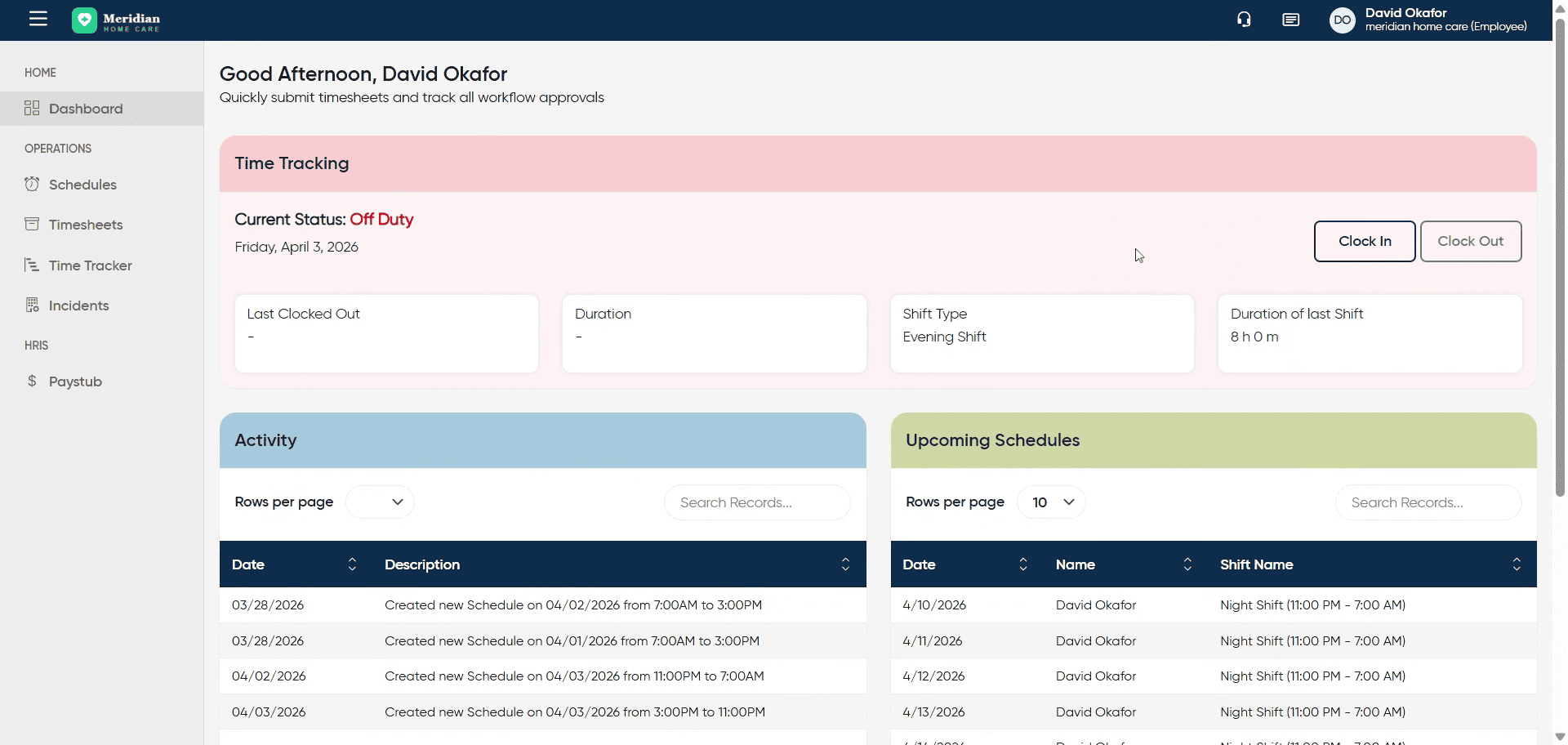
2. Initiate Clock In Process
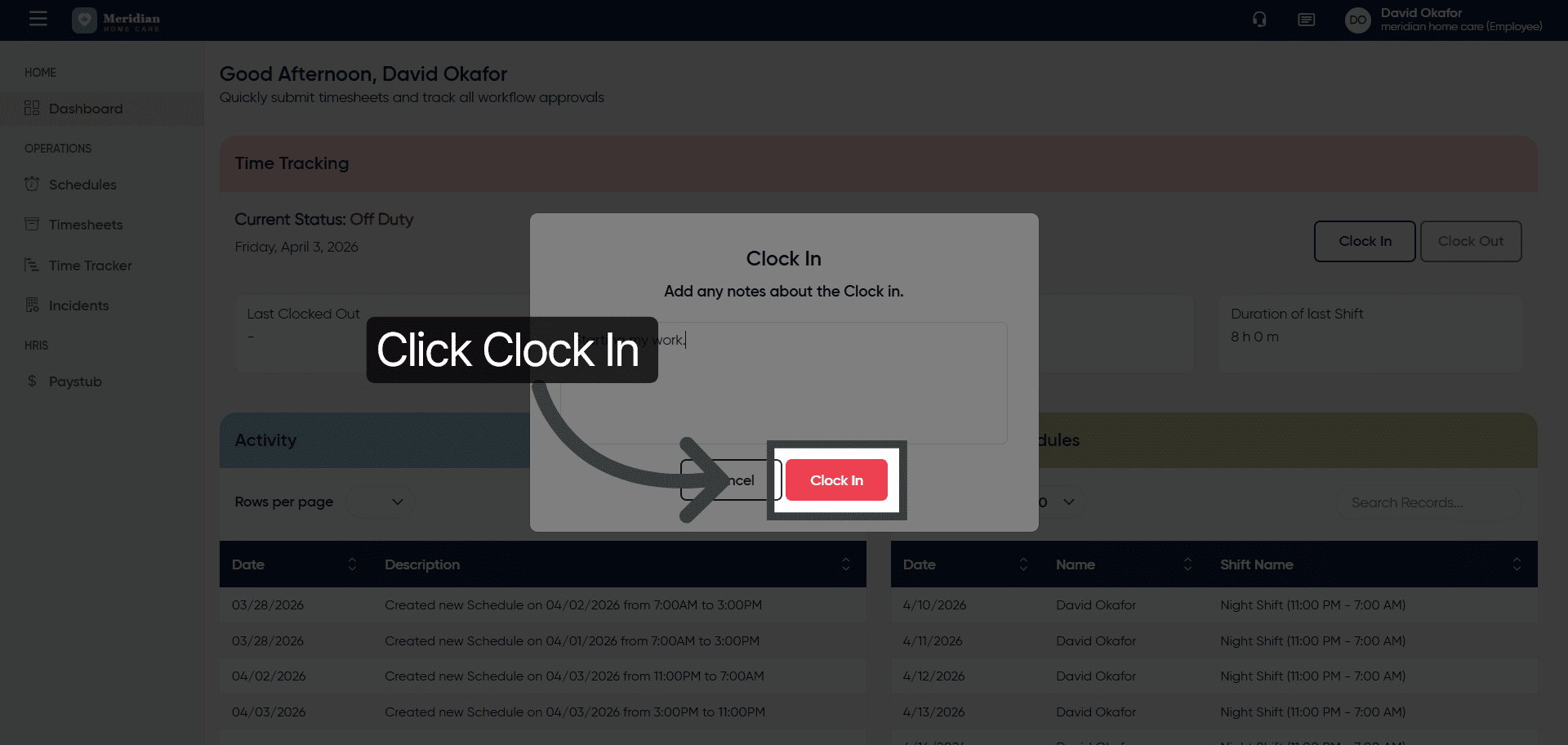
Click “Clock In” to begin recording your work time for the day.
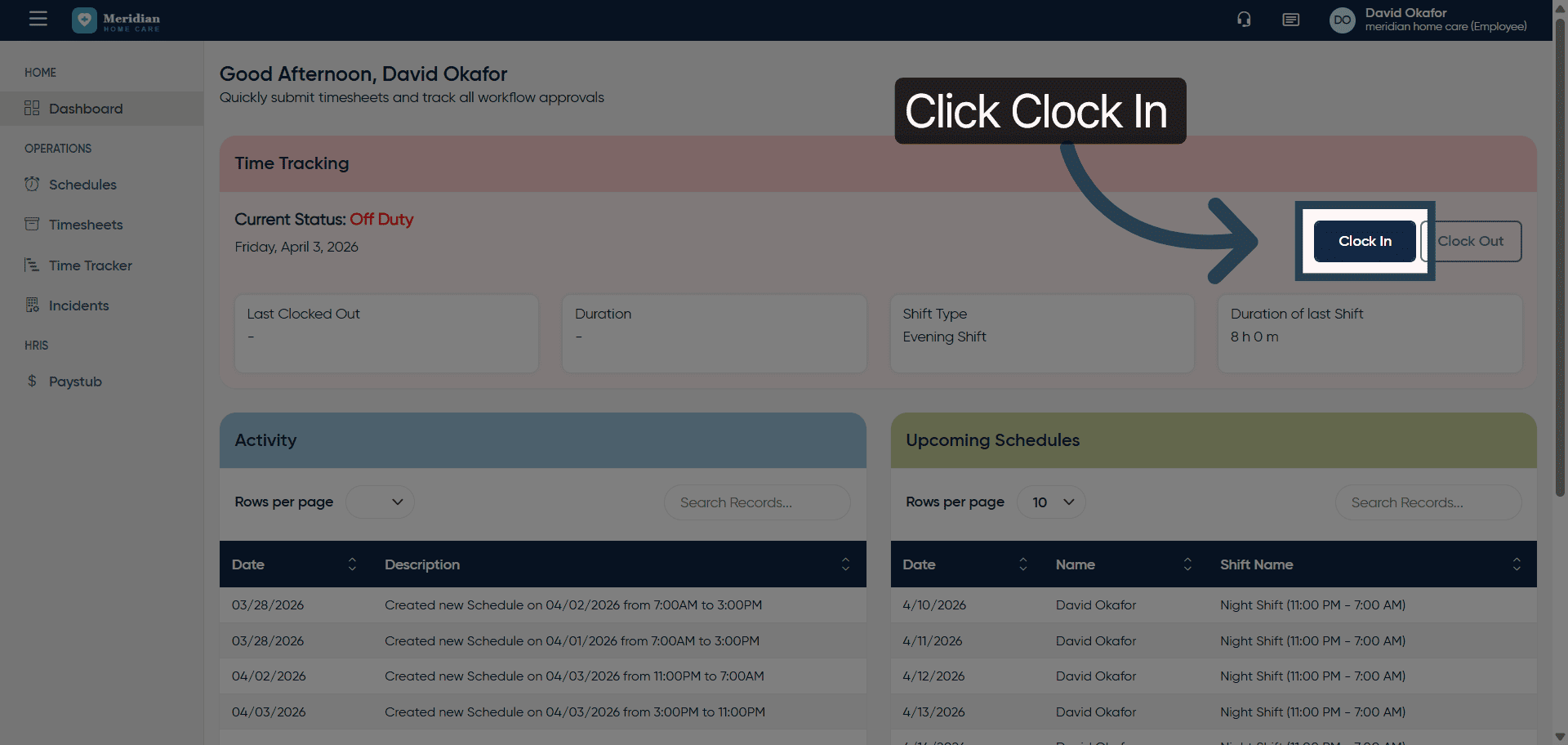
3. Open Comment Field
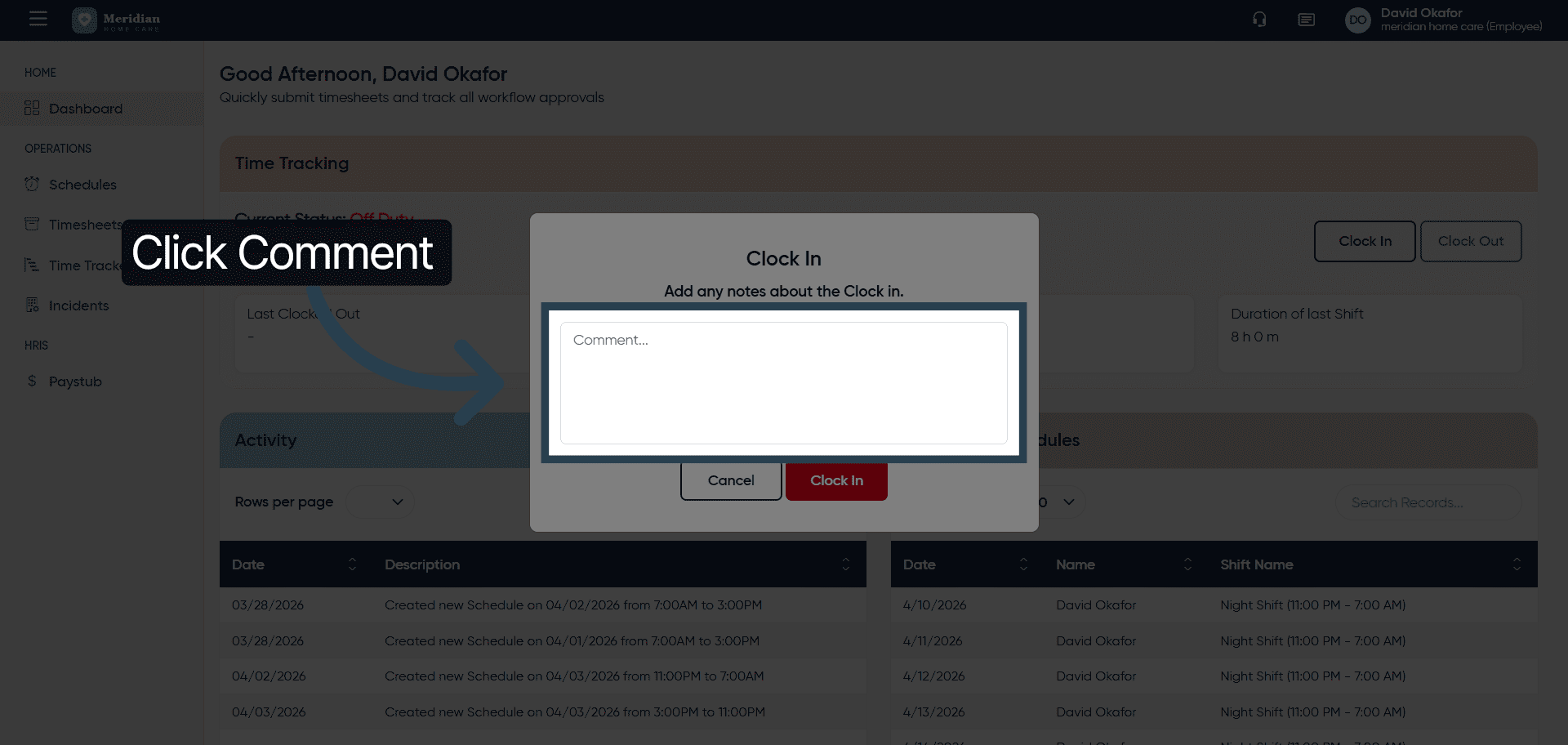
4. Add Work Start Comment
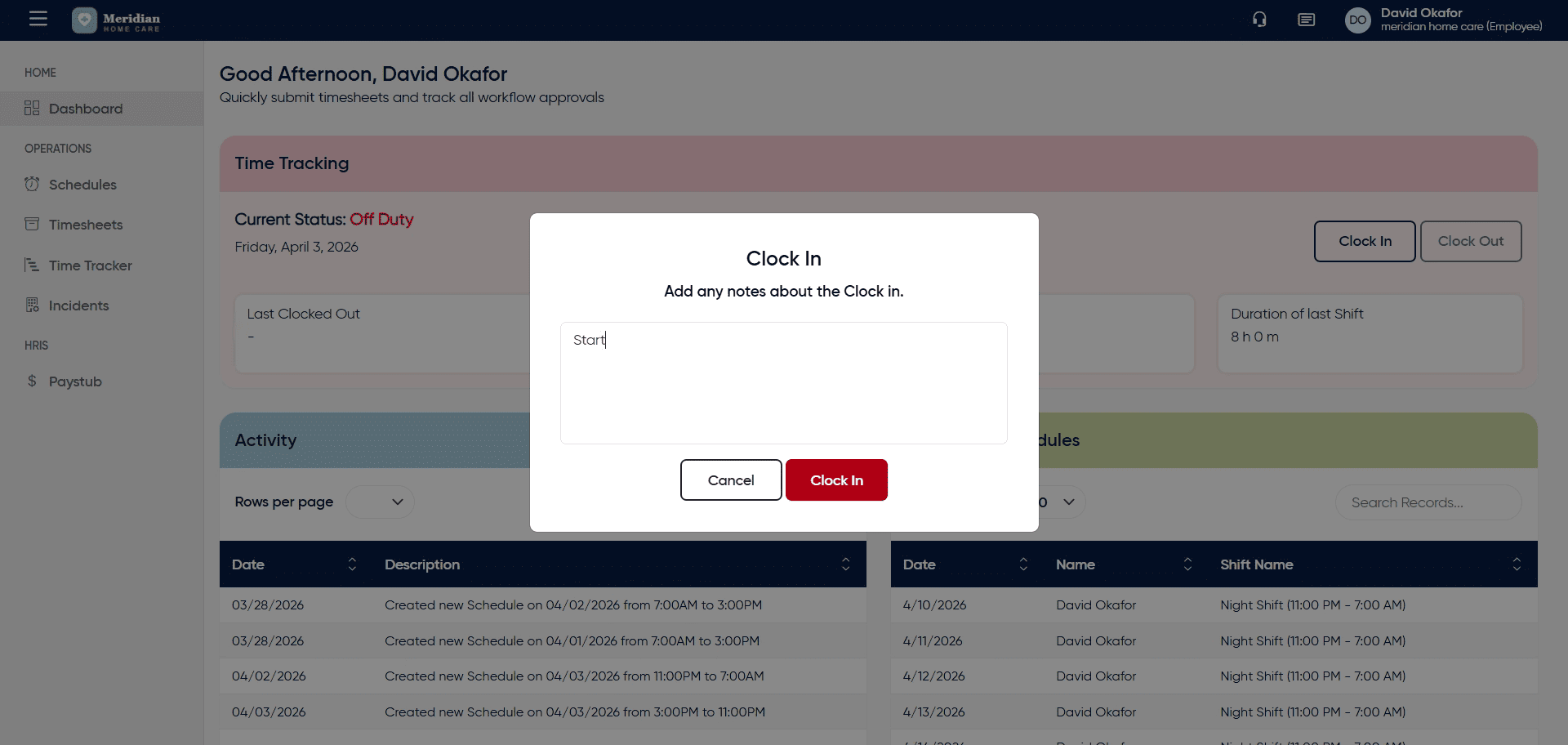
5. Confirm Clock In
Submitting it will mark the user as clocked in.
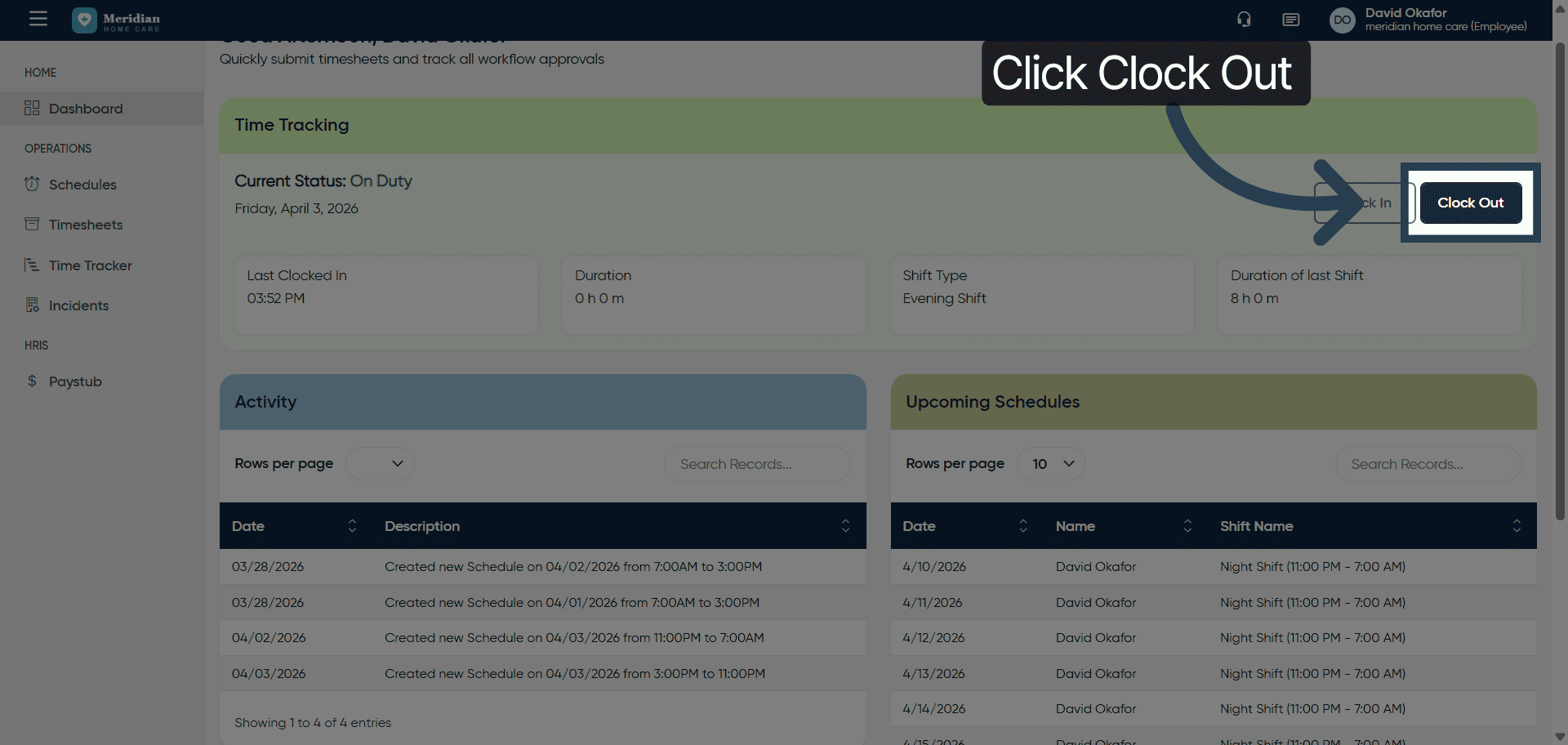
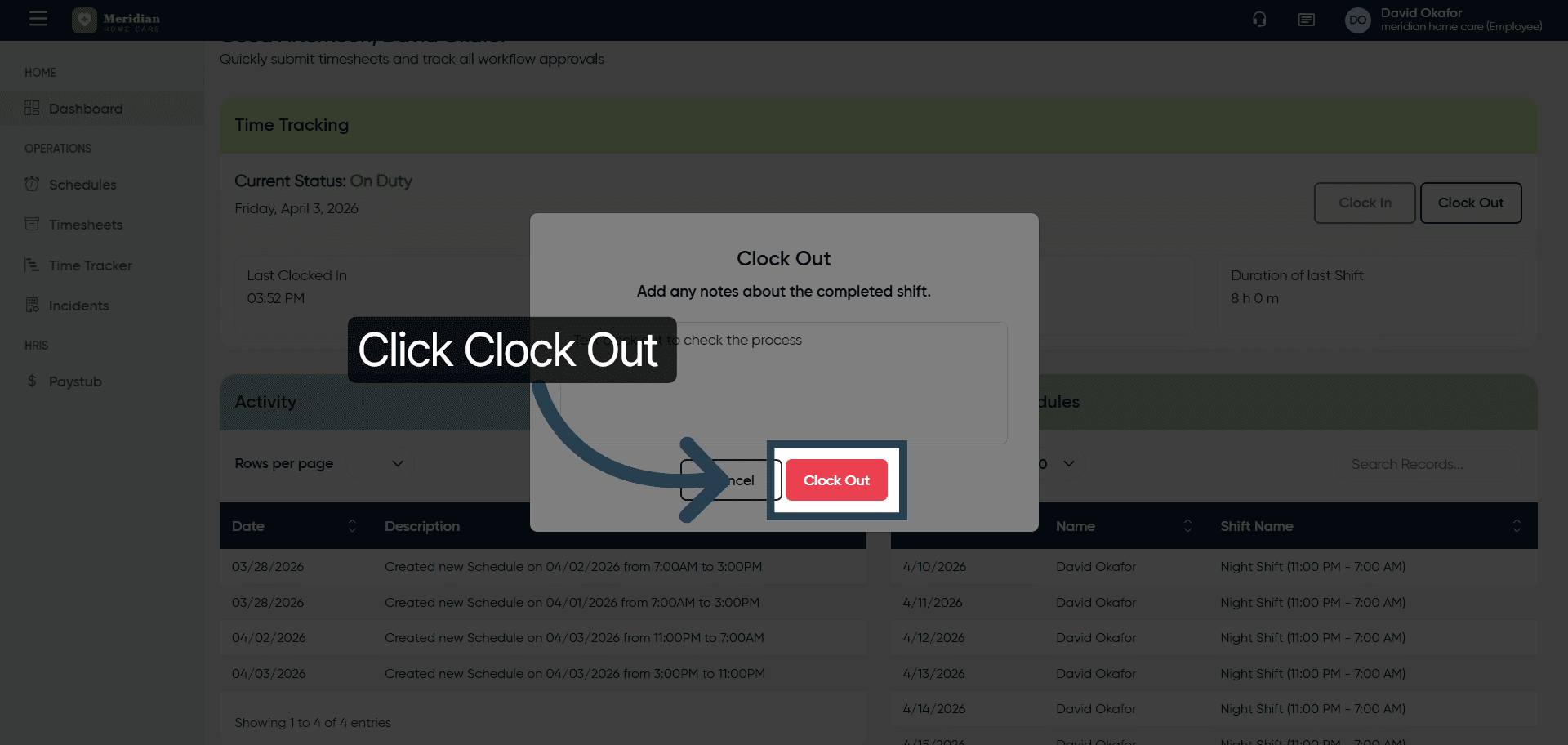
6. Initiate Clock Out Process
Lets check the clock out process. Click “Clock Out” when you are ready to end your work session for the day.
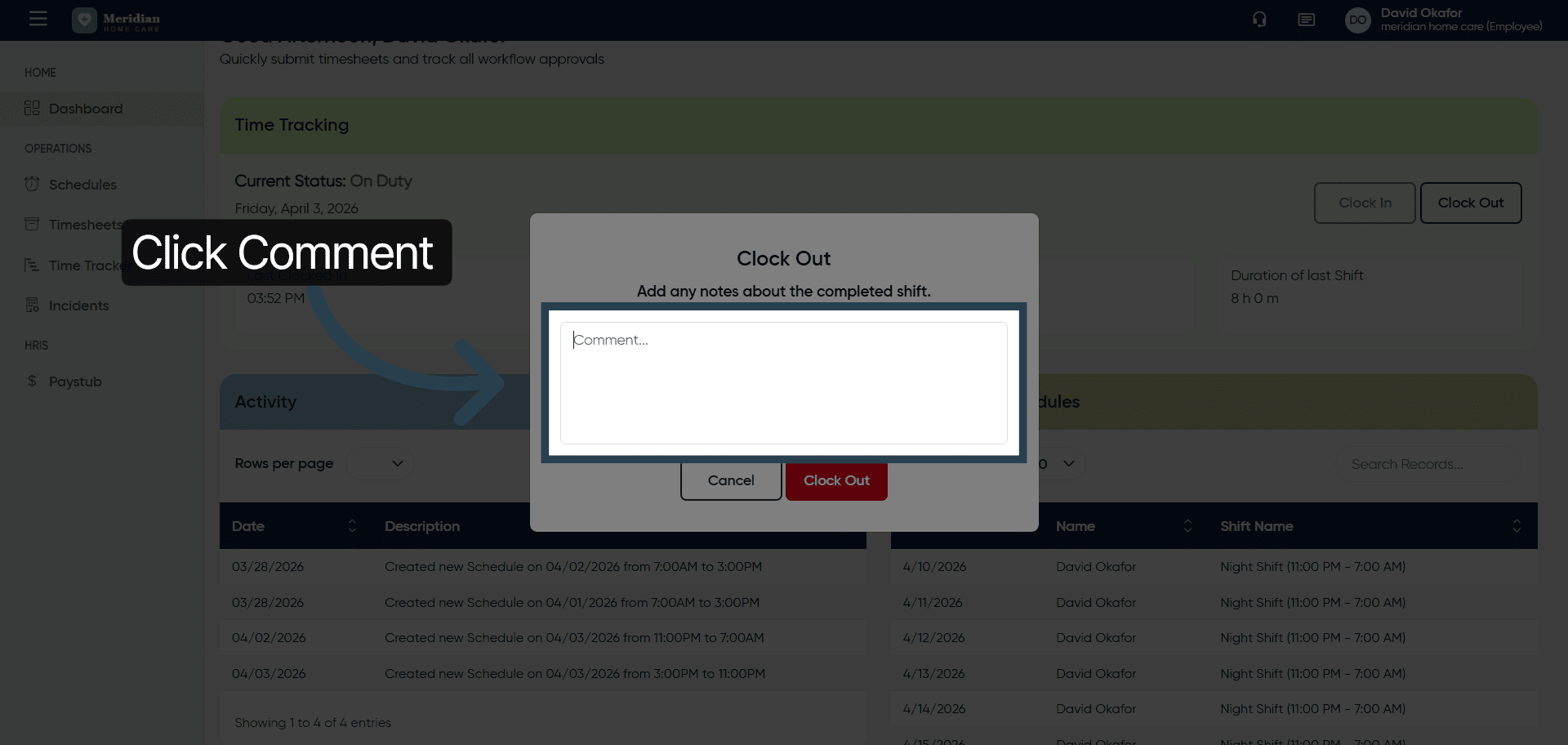
7. Open Clock Out Comment Field
8. Add Clock Out Comment
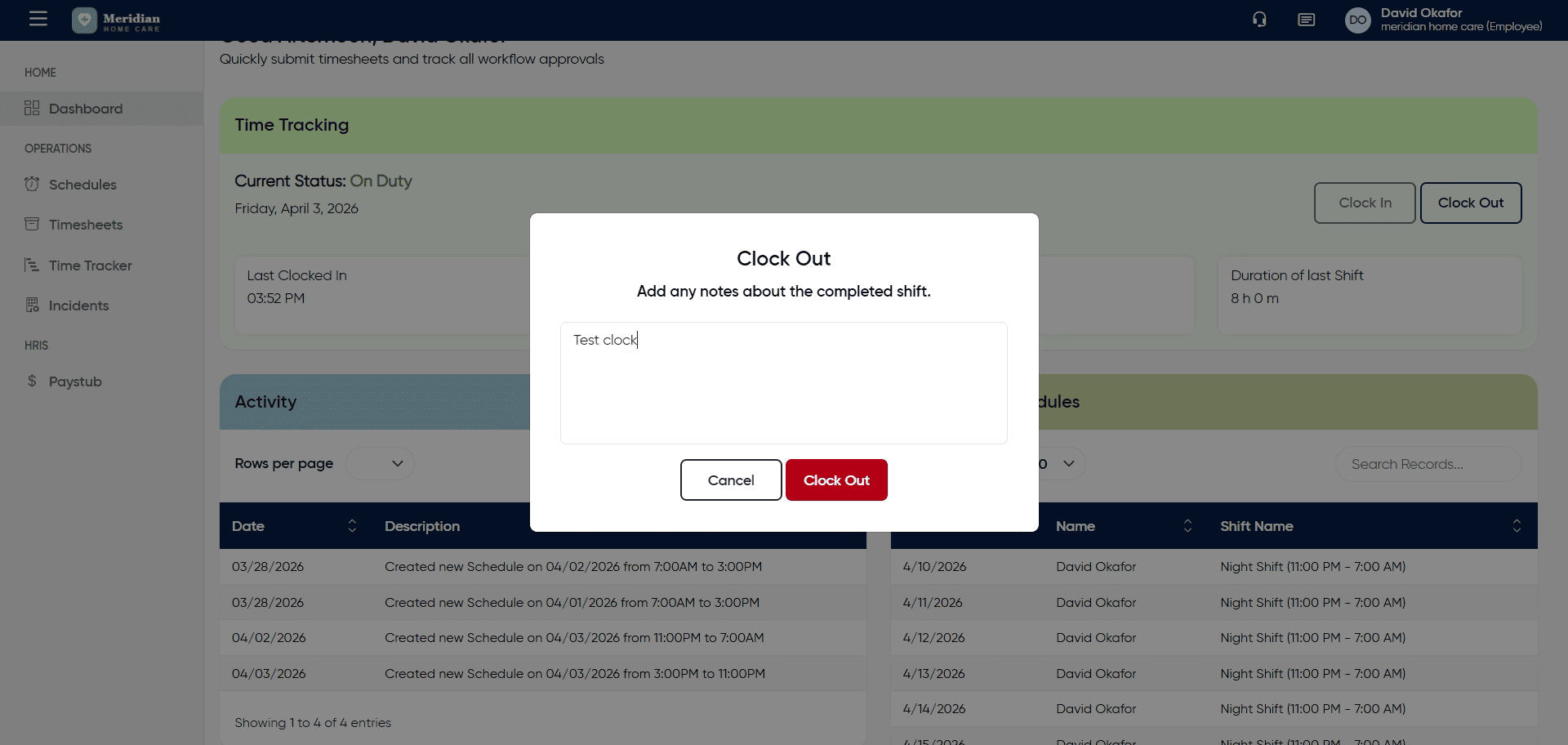
9. Confirm Clock Out
After completing this training, you will be able to accurately clock in and out using OfficeOne Solution.
Recent Posts
- Human Resources vs. Payroll: Responsibilities & Differences (2026 Guide)

- Salary vs. Hourly: 4 Key Aspects Every Employer Should Understand (2026 Guide)

- Complete Guide to Minimum Wage: All You Need To Know (2026)

- How to Write Up an Employee: 11 Common Situations (2026 Guide)

- 10 Proven Ways to Improve Work Efficiency in the Workplace (2026 Guide)

Stay Ahead. Simplify Workforce Management.
Empower your teams to work efficiently with a unified workforce platform built for clarity, control, and actionable insights across your organization.