
This tutorial guides you approving of Expenses in OfficeOne.
Go to app.office1solution.com
1. Introduction
You will learn how to navigate the expenses section and approve submitted expense reports.
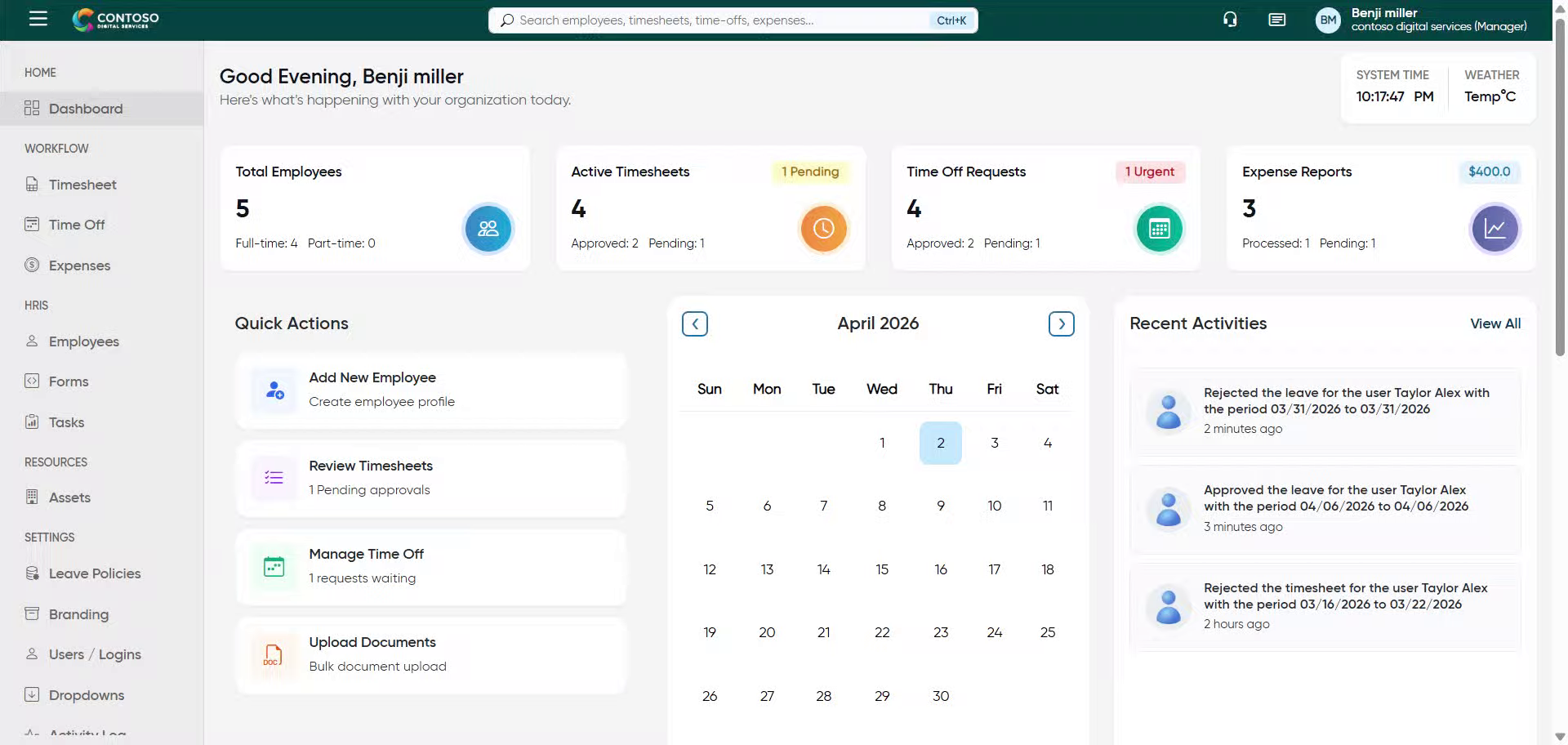
2. Access Expenses Section
Click “Expenses” to open the expenses management area in Office1solution.
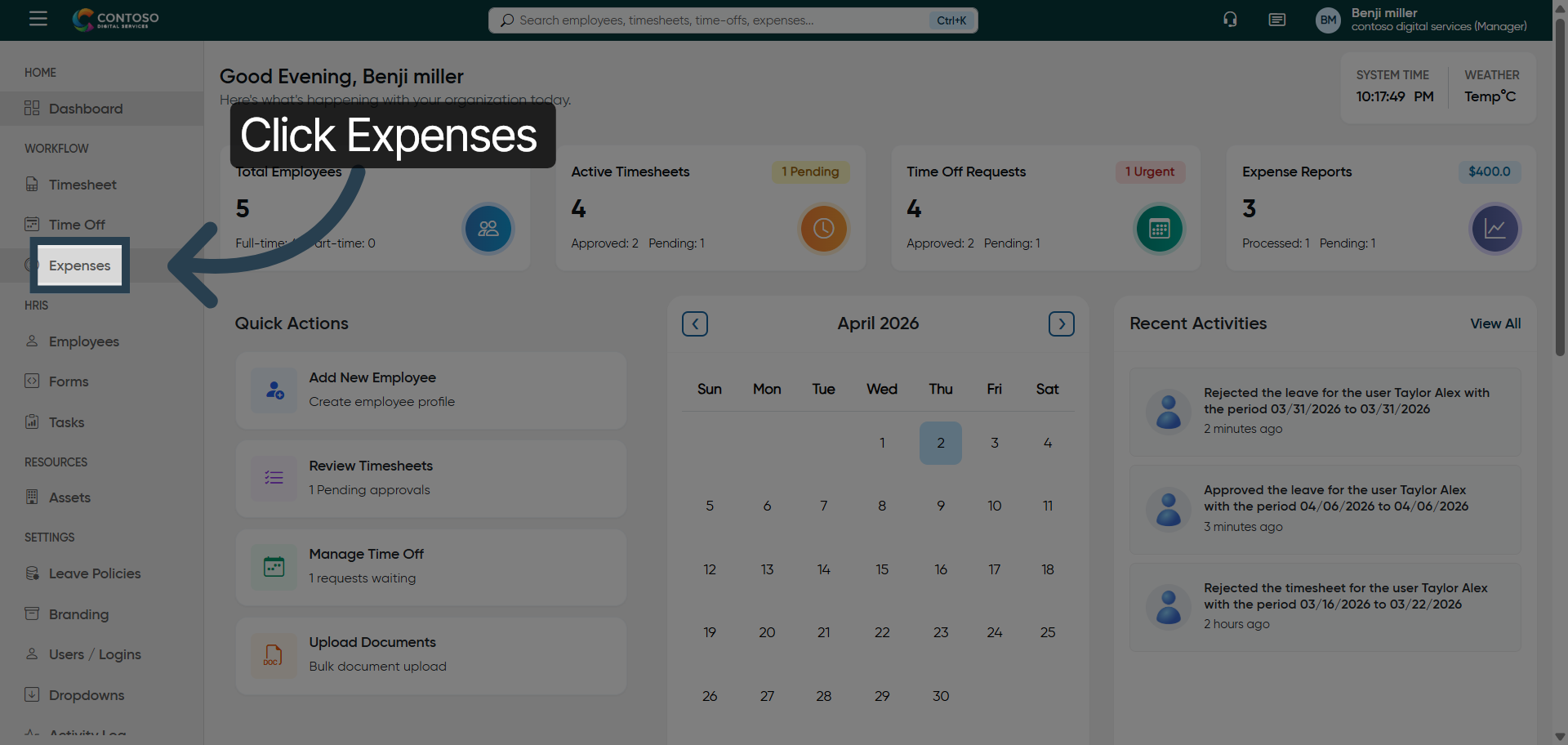
3. Enter Privilege Details
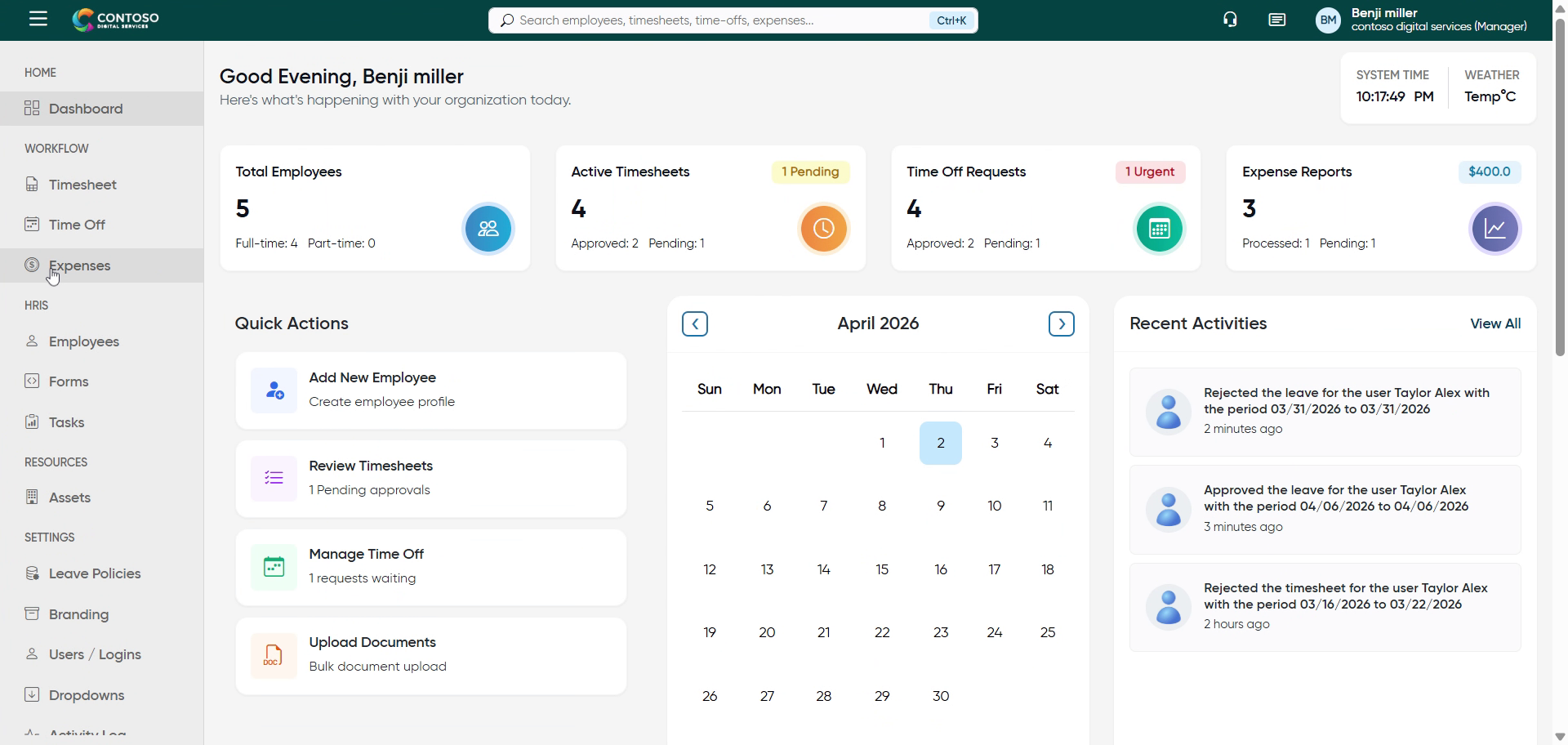
4. Open Expense Options
Click here to access additional options related to the selected expenses.
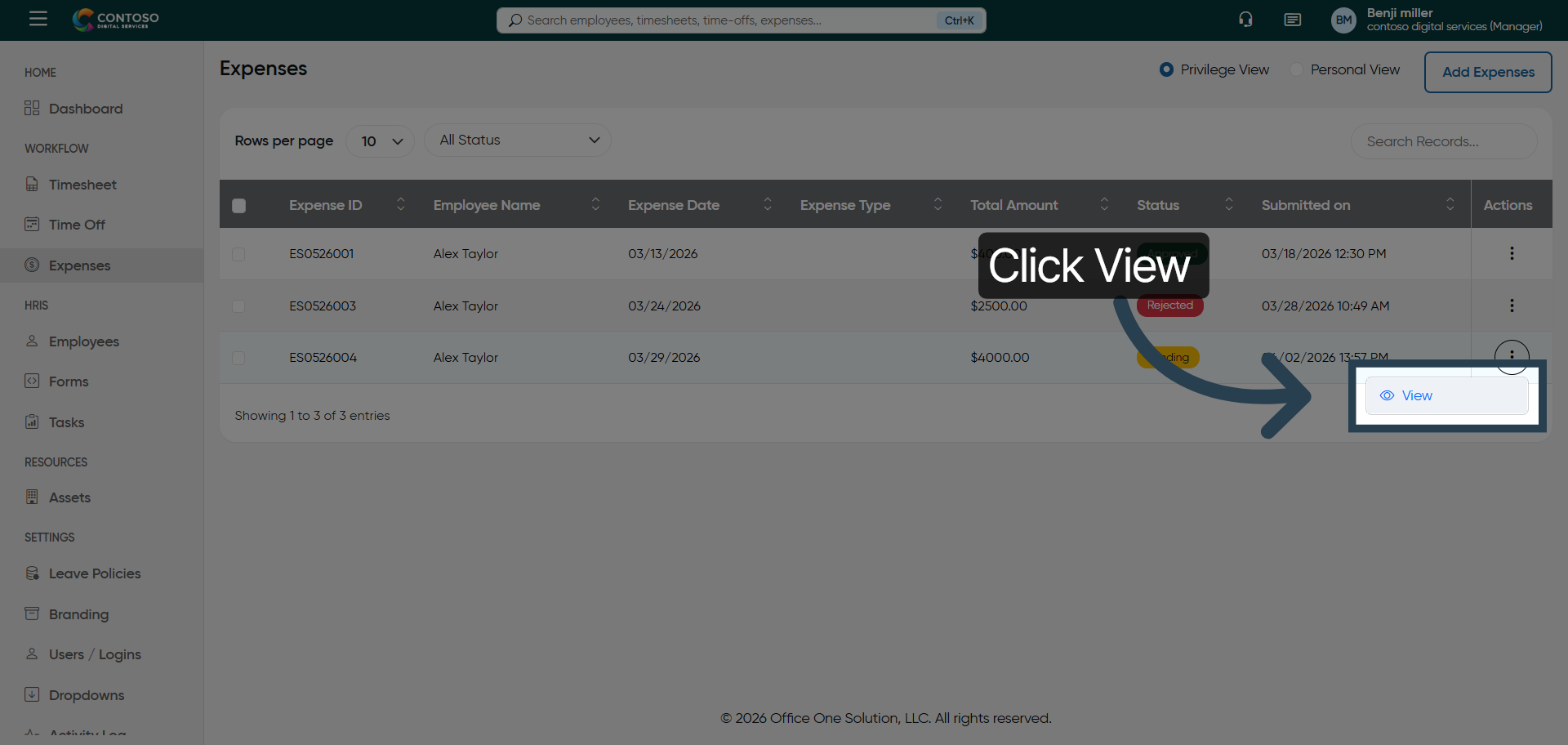
5. View Expense Details
Click “View” to see detailed information about the selected expense report.
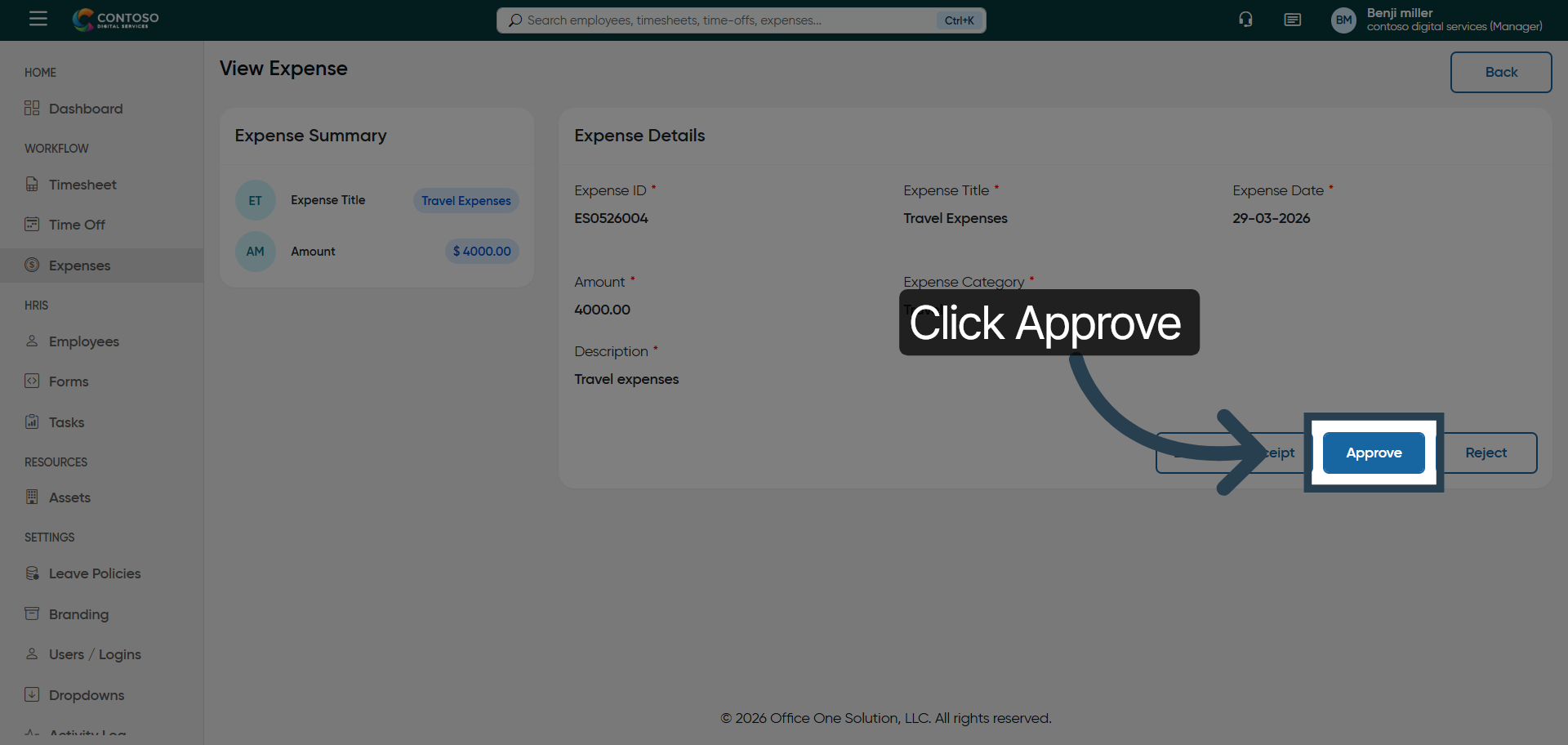
6. Approve Expense Report
Click “Approve” to authorize the selected expense report for processing.
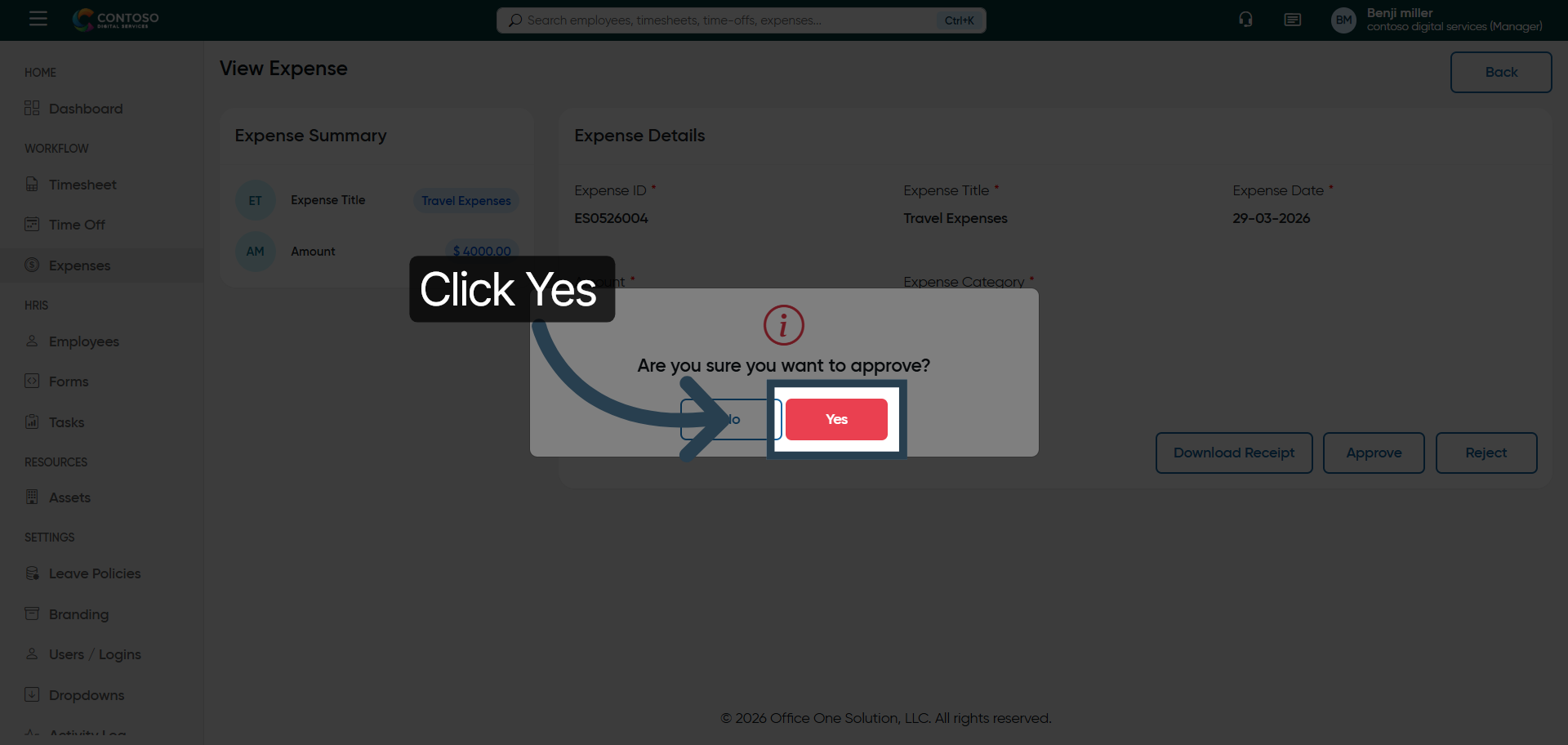
7. Confirm Approval
Click “Yes” to confirm and finalize the approval of the expense report.
You have successfully navigated the expenses section and approved an expense report in OfficeOne
Recent Posts
- Human Resources vs. Payroll: Responsibilities & Differences (2026 Guide)

- Salary vs. Hourly: 4 Key Aspects Every Employer Should Understand (2026 Guide)

- Complete Guide to Minimum Wage: All You Need To Know (2026)

- How to Write Up an Employee: 11 Common Situations (2026 Guide)

- 10 Proven Ways to Improve Work Efficiency in the Workplace (2026 Guide)

Stay Ahead. Simplify Workforce Management.
Empower your teams to work efficiently with a unified workforce platform built for clarity, control, and actionable insights across your organization.