
Creating employee schedules is an essential part of workforce management. Every business needs to know who is working, when they are working, where they are assigned, and whether enough employees are available to meet operational requirements. For small teams, an employee schedule template may appear to be a simple and cost-effective solution. However, as a business grows, managing schedules manually can become increasingly difficult.
This is where employee scheduling software can provide a more structured and automated approach.
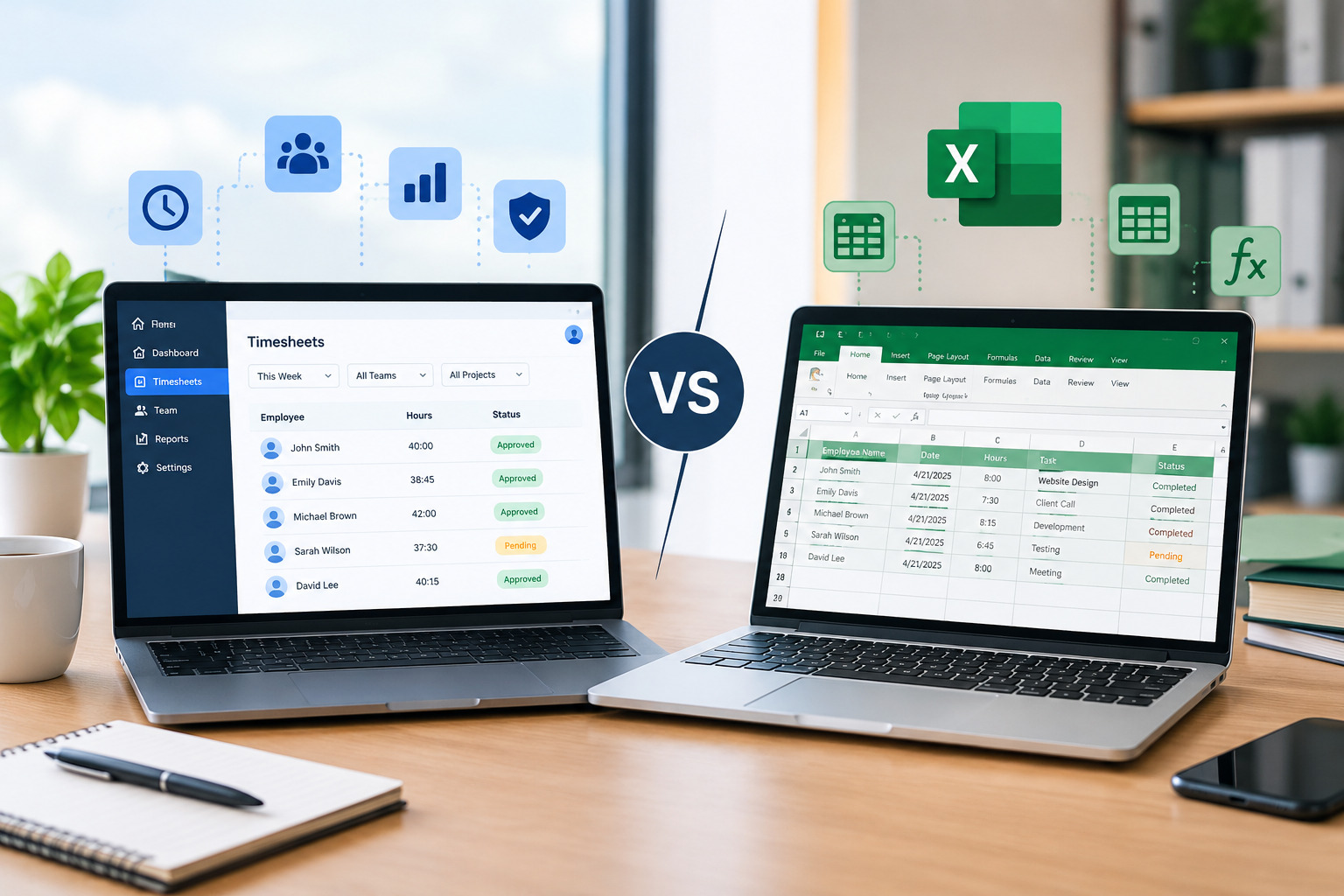
Employee schedule templates and scheduling software both serve the same basic purpose: helping businesses organize employee shifts. However, they differ significantly in terms of automation, scalability, real-time updates, communication, error reduction, and workforce visibility.
So, which option is better?
The answer depends on the size of your workforce, the complexity of your schedules, the number of locations you manage, how frequently schedules change, and how much time managers spend handling scheduling tasks.
In this guide, we compare employee schedule templates vs. scheduling software, explain the advantages and limitations of both approaches, and help businesses determine when it makes sense to move from spreadsheets and templates to a dedicated scheduling solution.
What Is an Employee Schedule Template?
An employee schedule template is a predefined document that businesses use to organize employee shifts.
It can be created using tools such as spreadsheets, word-processing software, or other document applications. A basic template may include employee names, dates, shift start and end times, job roles, locations, and total working hours.
For example, a weekly employee schedule might contain columns for Monday through Sunday, with each employee assigned specific working hours.
Businesses often create templates once and reuse them each week.
This approach can work well for small teams where schedules are relatively simple and do not change frequently.
However, the effectiveness of a template depends heavily on manual data entry and management.
What Is Employee Scheduling Software?
Employee scheduling software is a digital workforce management solution designed to help businesses create, manage, update, and communicate employee schedules.
Instead of manually entering every shift into a spreadsheet, managers can use scheduling tools to organize employee availability, assign shifts, manage changes, and monitor schedules from a centralized platform.
Depending on the system, scheduling software may also connect scheduling with other workforce functions such as attendance tracking, time tracking, employee availability, shift swapping, and workforce reporting.
This can make scheduling more efficient, particularly for businesses with larger teams, multiple locations, or frequently changing shifts.
Employee Schedule Templates vs. Scheduling Software: At a Glance
| Feature | Employee Schedule Templates | Scheduling Software |
|---|---|---|
| Initial setup | Simple | Requires setup |
| Cost | Usually low | Usually subscription-based |
| Automation | Limited | High |
| Real-time updates | Limited | Yes |
| Employee notifications | Usually manual | Often automated |
| Availability management | Manual | Centralized |
| Shift swapping | Manual | Can be automated |
| Overtime monitoring | Manual | Often supported |
| Multiple locations | Difficult | Easier to manage |
| Schedule conflicts | Manually identified | Can be flagged automatically |
| Reporting | Manual | Automated or centralized |
| Scalability | Limited | High |
| Data visibility | Basic | More comprehensive |
| Best for | Small/simple teams | Growing and complex workforces |
The right option depends on the complexity of your workforce rather than simply the number of employees.
Advantages of Employee Schedule Templates
Employee schedule templates continue to be useful for many small businesses. They are particularly attractive because they are simple and inexpensive.
1. Easy to Create
A basic schedule template can be created quickly.
Managers can enter employee names, working days, shift times, and other relevant information without needing specialized software.
For a small business with five or ten employees and predictable shifts, this may be sufficient.
2. Low Cost
One of the biggest advantages of schedule templates is their low cost.
Businesses can create templates using spreadsheet or document tools they already have. There is no additional scheduling platform subscription in many cases.
This can be useful for startups and very small businesses that are trying to keep operating expenses low.
However, businesses should also consider the time cost associated with maintaining a manual scheduling process.
A solution may appear free financially while still requiring several hours of administrative work every week.
3. Flexible Formatting
Templates can be customized according to the business’s requirements.
Managers can add columns for:
- Employee names
- Job roles
- Locations
- Shift times
- Breaks
- Working hours
- Notes
- Days off
- Special assignments
This flexibility can be useful when businesses have unique scheduling requirements.
4. Suitable for Simple Workforces
If a business has a small team with consistent working hours, a schedule template may be all that is required.
For example, a small office with eight employees who work fixed Monday-to-Friday hours may not need advanced scheduling functionality.
In these situations, adopting sophisticated scheduling software could add unnecessary complexity.
Limitations of Employee Schedule Templates
Although templates are useful, they become increasingly difficult to manage as workforce complexity increases.
1. Manual Data Entry
Managers usually need to enter and update scheduling information manually.
If employees change availability, request time off, or swap shifts, the manager may need to modify the schedule manually.
Repeated data entry increases administrative workload and creates opportunities for mistakes.
2. Higher Risk of Scheduling Errors
Manual scheduling can result in problems such as:
- Double-booked employees
- Missing shifts
- Incorrect working hours
- Uncovered shifts
- Availability conflicts
- Uneven workloads
- Accidental overtime
- Incorrect shift assignments
A small mistake in a spreadsheet can sometimes affect multiple employees and require additional time to correct.
3. Difficult to Manage Last-Minute Changes
Workforce schedules rarely remain unchanged.
Employees may call in sick, request time off, arrive late, or become unavailable unexpectedly.
When using a template, managers may need to manually find a replacement, update the schedule, and communicate the change to everyone involved.
This can become especially difficult when changes happen frequently.
4. Limited Employee Communication
A spreadsheet does not automatically communicate schedule changes to employees.
Managers may need to send emails, messages, or make phone calls to inform employees about updates.
This creates another administrative step and increases the possibility that an employee may miss an important schedule change.
5. Difficult to Monitor Overtime
A schedule template can show planned working hours, but it does not necessarily show how many hours employees actually worked.
Managers may need to compare schedules with time records manually to determine whether employees are approaching overtime.
This becomes increasingly difficult as the workforce grows.
For businesses interested in controlling labor costs, dedicated employee time tracking can provide greater visibility.
Advantages of Employee Scheduling Software
Scheduling software addresses many of the limitations associated with manual scheduling.
1. Faster Schedule Creation
Scheduling software can reduce the amount of time managers spend building schedules.
Instead of manually entering every shift, managers can use employee availability, roles, recurring schedules, and other workforce information to create schedules more efficiently.
Some systems can also support automated scheduling based on predefined rules.
This allows managers to spend less time on administrative work and more time managing their teams.
2. Centralized Employee Availability
Employee availability is one of the most important factors in scheduling.
With a centralized scheduling system, managers can have access to employee availability information when creating shifts.
Employees can provide their available working hours or indicate when they cannot work.
This can reduce scheduling conflicts and make it easier to create realistic schedules.
3. Easier Shift Changes
Schedule changes are inevitable.
Scheduling software can provide a centralized way to update shifts and communicate changes.
Instead of editing multiple copies of a spreadsheet, managers can update the schedule in one location.
Depending on the software, employees may receive notifications about schedule changes.
4. Better Shift-Swap Management
Shift swapping can be useful when employees need to exchange shifts.
However, informal shift swaps can create scheduling problems if managers do not know who is working.
Scheduling software can provide a structured process for shift-swap requests.
Employees can request a swap, while managers can review the request before approving it.
This helps maintain visibility over the schedule.
5. Improved Overtime Control
Scheduling software can make it easier to identify employees who are approaching overtime thresholds.
For example, managers can review scheduled hours before assigning another shift.
Some workforce management platforms can also provide alerts or reporting capabilities that help identify overtime risks.
This proactive approach can help businesses reduce unnecessary overtime and control labor costs.
For more information, businesses can also explore strategies for managing employee overtime through better scheduling.
6. Easier Multi-Location Scheduling
Managing employees across multiple locations is one area where spreadsheets can become particularly challenging.
A manager may need to maintain different schedules for different branches and then consolidate information to understand overall staffing.
Scheduling software can provide centralized visibility across locations.
Managers can view employees, shifts, and staffing requirements within a single system, depending on the platform’s capabilities.
This makes it easier to coordinate workforce coverage across multiple locations.
7. Better Employee Access
Employees often want quick access to their schedules.
With a centralized digital scheduling system, employees can potentially view their upcoming shifts without asking a manager or searching through messages.
This can reduce communication delays and give employees greater visibility into their work schedules.
8. More Accurate Workforce Information
Scheduling software can bring multiple workforce data points together.
Depending on the platform, managers may be able to view:
- Scheduled hours
- Actual hours
- Employee availability
- Attendance
- Shift assignments
- Overtime
- Time-off requests
- Staffing requirements
Having this information in one place can support better workforce decisions.
9. Easier Reporting and Analysis
Manual schedules are mainly designed to organize information.
Scheduling software can go further by helping managers analyze workforce data.
For example, businesses may want to identify:
- Which departments regularly experience understaffing?
- Which employees frequently work overtime?
- Which shifts are difficult to cover?
- Which locations require additional staffing?
- How often do employees request schedule changes?
These insights can help businesses improve future scheduling decisions.
Employee Schedule Templates vs. Scheduling Software: Detailed Comparison
Ease of Use
Templates are generally easy to understand because most managers are familiar with spreadsheets.
Scheduling software may require some initial learning, but once configured, it can simplify repetitive scheduling tasks.
Winner: Depends on the business.
Templates are easier for very simple schedules, while software can be easier for complex schedules over time.
Cost
Templates generally have lower direct costs.
Scheduling software typically involves a subscription or licensing cost.
However, businesses should consider the total cost of manual scheduling, including manager time, scheduling errors, overtime, and administrative work.
Winner: Templates for very small/simple teams; software for businesses where scheduling consumes significant administrative time.
Automation
Templates require significant manual work.
Scheduling software can automate or streamline many scheduling tasks.
Winner: Scheduling software.
Schedule Accuracy
Manual templates rely heavily on the person creating the schedule.
Scheduling software can provide centralized information and, depending on the platform, identify conflicts or scheduling issues.
Winner: Scheduling software.
Employee Communication
Templates generally require managers to communicate schedule changes manually.
Scheduling software can provide employees with centralized access to schedules and may support notifications.
Winner: Scheduling software.
Scalability
A spreadsheet that works for ten employees may become difficult to manage for 100 employees across several locations.
Scheduling software is generally designed to support larger and more complex workforces.
Winner: Scheduling software.
When Should a Business Use an Employee Schedule Template?
A schedule template may be appropriate when:
- The workforce is small.
- Employees have predictable working hours.
- There are few schedule changes.
- The business operates from one location.
- Managers can easily monitor working hours.
- Employees rarely swap shifts.
- Overtime is uncommon.
- Scheduling takes only a small amount of administrative time.
For these businesses, a simple template may provide everything they need.
There is no reason to adopt complex technology simply because it is available.
The scheduling process should match the complexity of the workforce.
When Should a Business Switch to Scheduling Software?
Businesses should consider scheduling software when manual scheduling begins consuming too much time or creating operational problems.
Common warning signs include:
Schedules Take Hours to Create
If managers spend several hours every week creating schedules, automation may provide significant value.
Frequent Schedule Changes
If shifts are constantly being changed, a centralized scheduling system can make updates easier to manage.
Increasing Employee Numbers
As the workforce grows, manually tracking employee availability, shifts, and working hours becomes more complicated.
Multiple Locations
Businesses operating across several locations can benefit from centralized scheduling.
Frequent Overtime
If employees regularly work beyond scheduled hours, better visibility and scheduling controls may help identify the underlying causes.
Frequent Shift Swaps
A structured shift-swap process can reduce administrative work.
Scheduling Conflicts
Repeated availability conflicts, overlapping shifts, or uncovered shifts are signs that the current process may no longer be sufficient.
Can Small Businesses Benefit From Scheduling Software?
Yes.
Scheduling software is not only useful for large companies.
Small businesses can also benefit when their schedules become complicated.
For example, a small restaurant may have employees working different shifts throughout the week. A retail store may have part-time employees with different availability. A service company may send employees to different locations.
In these situations, scheduling software can save administrative time even when the workforce is relatively small.
However, small businesses with extremely simple schedules may still find templates sufficient.
How to Choose the Right Employee Scheduling Solution
Businesses should evaluate their scheduling needs before selecting a solution.
Consider Workforce Size
How many employees need to be scheduled?
A small team may not require advanced functionality, while larger teams often benefit from centralized scheduling.
Consider Schedule Complexity
Do employees work fixed shifts, rotating schedules, split shifts, or flexible hours?
The more complicated the scheduling structure, the more valuable automation can become.
Consider Multiple Locations
If employees work across different branches, look for a solution that can provide centralized visibility.
Consider Employee Availability
A good scheduling solution should make it easier to account for employee availability and time-off requests.
Consider Overtime Management
If controlling overtime is a priority, look for tools that provide visibility into scheduled and actual working hours.
Consider Employee Communication
Employees should have an easy way to access their schedules and receive important updates.
Consider Integration
If your business already uses time tracking, attendance, payroll, or HR systems, consider whether the scheduling solution can work alongside those systems.
Why Scheduling Software Is Usually Better for Growing Businesses
Employee schedule templates are useful starting points, but they have limitations.
As a business grows, scheduling becomes less about simply writing down employee shifts and more about coordinating an entire workforce.
Managers need to consider employee availability, workload, overtime, absences, skills, shift coverage, locations, and last-minute changes.
Managing all of these factors manually can become increasingly time-consuming.
Scheduling software provides a centralized environment where these workforce scheduling activities can be managed more efficiently.
For a growing business, this can make scheduling more scalable and less dependent on individual spreadsheets.
The Best Approach May Be a Combination
Businesses do not necessarily need to move directly from a basic spreadsheet to a highly complex workforce platform.
The transition can be gradual.
A business might begin with a simple schedule template when the team is small. As the workforce grows, it may introduce centralized employee availability tracking, digital time tracking, and eventually full scheduling software.
The important point is to recognize when the existing process is no longer meeting the organization’s needs.
The right scheduling solution should reduce administrative work rather than create additional complexity.
How Office1Solution Can Support Better Workforce Scheduling
For businesses looking to move beyond manual scheduling, Office1Solution provides a centralized approach to workforce management.
A digital workforce management platform can help organizations move away from disconnected spreadsheets and gain better visibility into employee scheduling and workforce operations.
Businesses can use a centralized solution to improve scheduling processes, manage workforce information, and support better coordination between managers and employees.
This becomes particularly valuable as teams grow, schedules become more complex, and businesses need better visibility into employee hours and workforce operations.
Employee Schedule Templates vs. Scheduling Software: Which Is Better?
There is no single answer for every business.
Employee schedule templates are better for small teams with simple, predictable schedules. They are inexpensive, flexible, and easy to create.
Scheduling software is generally better for growing businesses with complex schedules, frequent changes, multiple locations, shift swaps, overtime concerns, or larger workforces.
The key is to evaluate the amount of time and effort your current scheduling process requires.
If a spreadsheet takes only a few minutes to update and rarely causes problems, there may be no urgent reason to change.
But if managers spend hours creating schedules, employees frequently ask about changes, overtime is difficult to track, or scheduling errors are becoming common, it may be time to consider a dedicated scheduling solution.
Ultimately, the best scheduling system is the one that gives your business the right balance of simplicity, accuracy, visibility, flexibility, and scalability.
Conclusion
Employee schedule templates and scheduling software both have a place in workforce management.
Templates provide a simple and low-cost way to organize shifts and can work well for small businesses with predictable schedules. However, they rely heavily on manual updates and become increasingly difficult to manage as workforce complexity increases.
Scheduling software offers a more scalable approach by helping businesses centralize schedules, manage employee availability, simplify shift changes, improve communication, monitor working hours, and gain better workforce visibility.
The decision should not be based solely on software cost. Businesses should also consider the time spent creating schedules, the cost of scheduling mistakes, unnecessary overtime, communication challenges, and the ability to scale the workforce efficiently.
For businesses that are growing or dealing with increasingly complex schedules, moving from manual templates to dedicated scheduling software can be an important step toward more efficient workforce management.
Recent Posts
- Time and Attendance Software: Complete Guide for Employers

- Time and Attendance: What’s the Difference Between the Two?

- How to Reduce Timesheet Errors and Improve Payroll Accuracy

- Timesheet App for Employees: Features, Benefits & Best Practices

- Timesheet Software vs. Excel: Which Is Better for Businesses?
Stay Ahead. Simplify Workforce Management.
Empower your teams to work efficiently with a unified workforce platform built for clarity, control, and actionable insights across your organization.